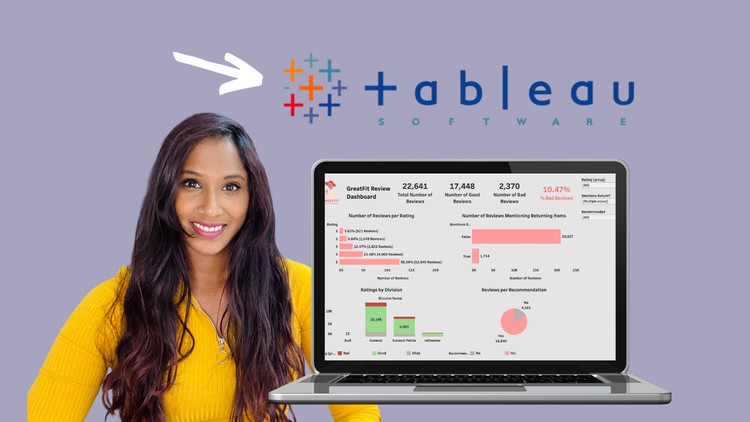
The Hands-On Masterclass in Data Analytics with Tableau

- Description
- Curriculum
- FAQ
- Reviews
Are you ready to become an Expert in Data Analytics? Do you want more practical, hands-on experience in Data Visualization and tools like Tableau? Do you want to add a portfolio of dashboards to your resume so you can land your dream job in Data?
This course is for YOU!
In this course you will build 6 separate dashboards for companies that face real business problems . You will learn how to connect to various data sources from Excel files to cloud servers such as Azure. You will also learn how to build interactive dashboards and publish it to Tableau Online! You can link these in your resume to show potential employers what you can do!
You will create dashboards that help a hotel manage a booking system, assist a customer service manager in sorting through thousands of reviews, create a sales dashboard for a very busy sales manager and even put together a quick presentation based on the data in a cloud data warehouse!
You will master the skills to become a good Data Analyst and build a solid foundation in understanding the data pipeline.
In this course you will learn:
Create 6 interactive dashboards and publish it online to share
- Learn how to connect to different data sources such as Excel, Google Sheets and Cloud Servers.
- Create a variety of charts including bar charts, line charts, donut charts, maps, tables and dual axis charts.
- Create calculated fields including developing IF Statements.
- Create sets, hierarchies and groups.
- Understanding how joins work.
- Understand Level Of Detail calculations.
- Create Parameters
- Make use of the analytics pane including using trend lines
- How to use dashboard actions and create interactive dashboards.
- Creating a dashboard which updates daily via google sheets.
By the time you complete this course, you’ll be a highly proficient Tableau user and use all the learning from to course to enhance your career in Data and Analytics.
Projects you will work on:
Park City Peaks Hotel: Park City Peaks Hotel provides hotel accommodation to tourists and business travellers. You will create an interactive dashboard to help the hotel manager analysing guest and booking data.
GreatFit: Greatfit is an online e-commerce store that sells ladies clothing. Customers generally leave reviews and Greatfit hasn’t been doing any analytics and investigation in the reviews. The Customer Service manager has asked you to develop a dashboard to give her an idea of how the reviews are.
MegaMart: Megamart is a store which sells various goods to consumers all over the world. The company works only through Sales Agents who are responsible for selling products to their customers. The Sales Manager would like to have a complete sales dashboard based on the sales agents
Facebook: A Facebook investor needs some help. He would like to see a dashboard that updates daily to keep track of FB stocks and the volume traded.
OLIST: Olist is an online e-commerce store which sells and delivers items all over Brazil. The logistics managers want you to create a dashboard so he can have a line of sight of any delivery issues.
Adventure works: Adventure Works is a retail store which sells bicycles and other fitness/exercise items. You are required to do a quick presentation on their shipping and sales data in their Cloud Data warehouse, Azure.
-
1
 Introduction
Hi! Thank you so much for taking my course, The Hands-On Masterclass in Data Analytics with Tableau.
I’ve been in the Data Industry for a while, and personally the best way to become a great data analyst is to learn by practicing. This is exactly what my course does!
In this course you will get to create 6 different dashboards for 6 companies. Each company has a common business problem that needs to be solved, such as analysing customer reviews, determining the performance of a sales agent and helping an e-commerce store flag late deliveries.
You will learn how to build a dashboard consisting of line charts, pie charts, packed bubble charts, tables etc! You will learn how to connect to a database include cloud databases like Azure. You will learn about SQL joins on Tableau as well as creating calculations. You will also learn how to use filters, parameters, sets and the list goes on.
The best thing about this course is you get to publish your dashboards to Tableau Public and share your work on your resume- so you can finally show your experience in a portfolio of work.
So thank you so much for choosing this course, I hope you enjoy it!
-
2
What is Tableau?
Before we start building our Dashboards, I thought a quick introduction on Tableau will be beneficial. Here, I detail why Tableau is so popular and well-known in the Data space.
-
3
A Quick Note on the structure of this course
-
4
How to Download and Install Tableau Desktop
In this lecture, we download and install Tableau Desktop (not Tableau Public). The link is below
https://www.tableau.com/products/desktop/download
-
5
The Different Products of Tableau
Hi, in this lecture we go over the different Tableau Products.
-
6
A Tableau Walkthrough
In this lecture, we walkthrough the Tableau interface.
-
7
Park City Peaks - Project Brief
See Project Brief attached or visit: https://databudd.com/blog/tableau-data-analysis-bootcamp-master-data-visualization
Park City Peaks Hotel provides hotel accommodation to tourists and business travellers. At the moment, the hotel manager can get an excel spreadsheet that he downloads from the Hotel Booking system.
He has given us the spreadsheet and would like to see the following:
Bookings and Cancellations the hotel gets in a monthly basis
Repeated Guests Statistics
The food option guests generally chooses
Do they get singular travellers or family bookings on average?
Data:
You can check the lecture resources or project brief in the course. You can also download it here:
Dataset:
hotel_bookings.xlsx
https://finch-groundhog-9245.squarespace.com/s/hotel_bookings.xlsx
Icon:
Park City Peaks Hotel.jpg
https://finch-groundhog-9245.squarespace.com/s/Park-City-Peaks-Hotel.jpeg
-
8
Park City Peaks Hotel - Dashboard Overview
In this lecture, we go over what we will be building for Park City Peaks Hotel!
See Project Brief attached or visit: https://databudd.com/blog/tableau-data-analysis-bootcamp-master-data-visualization
Park City Peaks Hotel provides hotel accommodation to tourists and business travellers. At the moment, the hotel manager can get an excel spreadsheet that he downloads from the Hotel Booking system.
He has given us the spreadsheet and would like to see the following:
Bookings and Cancellations the hotel gets in a monthly basis
Repeated Guests Statistics
The food option guests generally chooses
Do they get singular travellers or family bookings on average?
Data:
You can check the lecture resources or project brief in the course. You can also download it here:
Dataset:
hotel_bookings.xlsx
https://finch-groundhog-9245.squarespace.com/s/hotel_bookings.xlsx
Icon:
Park City Peaks Hotel.jpg
https://finch-groundhog-9245.squarespace.com/s/Park-City-Peaks-Hotel.jpeg
-
9
Park City Peaks Hotel - Connecting to the Data
Hello! In this lecture we learn how to connect our Data to Tableau.
See Project Brief attached or visit: https://databudd.com/blog/tableau-data-analysis-bootcamp-master-data-visualization
Park City Peaks Hotel provides hotel accommodation to tourists and business travellers. At the moment, the hotel manager can get an excel spreadsheet that he downloads from the Hotel Booking system.
He has given us the spreadsheet and would like to see the following:
Bookings and Cancellations the hotel gets in a monthly basis
Repeated Guests Statistics
The food option guests generally chooses
Do they get singular travellers or family bookings on average?
Data:
You can check the lecture resources or project brief in the course. You can also download it here:
Dataset:
hotel_bookings.xlsx
https://finch-groundhog-9245.squarespace.com/s/hotel_bookings.xlsx
Icon:
Park City Peaks Hotel.jpg
https://finch-groundhog-9245.squarespace.com/s/Park-City-Peaks-Hotel.jpeg
-
10
Park City Peaks Hotel - Building our First Chart on Tableau
In this lecture, we go over what we will be building our first chart! To get the data, check resources in the "Park City Peaks Hotel - Connecting to the Data" lecture, otherwise read below where you can download it.
See Project Brief attached or visit: https://databudd.com/blog/tableau-data-analysis-bootcamp-master-data-visualization
Park City Peaks Hotel provides hotel accommodation to tourists and business travellers. At the moment, the hotel manager can get an excel spreadsheet that he downloads from the Hotel Booking system.
He has given us the spreadsheet and would like to see the following:
Bookings and Cancellations the hotel gets in a monthly basis
Repeated Guests Statistics
The food option guests generally chooses
Do they get singular travellers or family bookings on average?
Data:
You can check the lecture resources or project brief in the course. You can also download it here:
Dataset:
hotel_bookings.xlsx
https://finch-groundhog-9245.squarespace.com/s/hotel_bookings.xlsx
Icon:
Park City Peaks Hotel.jpg
https://finch-groundhog-9245.squarespace.com/s/Park-City-Peaks-Hotel.jpeg
-
11
Park City Peaks Hotel - Building a Pie Chart on Tableau
In this lecture, we go over what we will be building a Pie Chart! To get the data, check resources in the "Park City Peaks Hotel - Connecting to the Data" lecture, otherwise read below where you can download it.
See Project Brief attached or visit: https://databudd.com/blog/tableau-data-analysis-bootcamp-master-data-visualization
Park City Peaks Hotel provides hotel accommodation to tourists and business travellers. At the moment, the hotel manager can get an excel spreadsheet that he downloads from the Hotel Booking system.
He has given us the spreadsheet and would like to see the following:
Bookings and Cancellations the hotel gets in a monthly basis
Repeated Guests Statistics
The food option guests generally chooses
Do they get singular travellers or family bookings on average?
Data:
You can check the lecture resources or project brief in the course. You can also download it here:
Dataset:
hotel_bookings.xlsx
https://finch-groundhog-9245.squarespace.com/s/hotel_bookings.xlsx
Icon:
Park City Peaks Hotel.jpg
https://finch-groundhog-9245.squarespace.com/s/Park-City-Peaks-Hotel.jpeg
-
12
Park City Peaks Hotel - Building a Packed Bubble Chart on Tableau
In this lecture, we go over what we will be building a Packed Bubble Chart! To get the data, check resources in the "Park City Peaks Hotel - Connecting to the Data" lecture, otherwise read below where you can download it.
See Project Brief attached or visit: https://databudd.com/blog/tableau-data-analysis-bootcamp-master-data-visualization
Park City Peaks Hotel provides hotel accommodation to tourists and business travellers. At the moment, the hotel manager can get an excel spreadsheet that he downloads from the Hotel Booking system.
He has given us the spreadsheet and would like to see the following:
Bookings and Cancellations the hotel gets in a monthly basis
Repeated Guests Statistics
The food option guests generally chooses
Do they get singular travellers or family bookings on average?
Data:
You can check the lecture resources or project brief in the course. You can also download it here:
Dataset:
hotel_bookings.xlsx
https://finch-groundhog-9245.squarespace.com/s/hotel_bookings.xlsx
Icon:
Park City Peaks Hotel.jpg
https://finch-groundhog-9245.squarespace.com/s/Park-City-Peaks-Hotel.jpeg
-
13
Park City Peaks Hotel - Building a Bar Chart on Tableau
In this lecture, we go over what we will be building a Bar Chart! To get the data, check resources in the "Park City Peaks Hotel - Connecting to the Data" lecture, otherwise read below where you can download it.
See Project Brief attached or visit: https://databudd.com/blog/tableau-data-analysis-bootcamp-master-data-visualization
Park City Peaks Hotel provides hotel accommodation to tourists and business travellers. At the moment, the hotel manager can get an excel spreadsheet that he downloads from the Hotel Booking system.
He has given us the spreadsheet and would like to see the following:
Bookings and Cancellations the hotel gets in a monthly basis
Repeated Guests Statistics
The food option guests generally chooses
Do they get singular travellers or family bookings on average?
Data:
You can check the lecture resources or project brief in the course. You can also download it here:
Dataset:
hotel_bookings.xlsx
https://finch-groundhog-9245.squarespace.com/s/hotel_bookings.xlsx
Icon:
Park City Peaks Hotel.jpg
https://finch-groundhog-9245.squarespace.com/s/Park-City-Peaks-Hotel.jpeg
-
14
Park City Peaks Hotel - Building a Dashboard on Tableau
In this lecture, we go over what we will be finally building our Dashboard! To get the data, check resources in the "Park City Peaks Hotel - Connecting to the Data" lecture, otherwise read below where you can download it.
See Project Brief attached or visit: https://databudd.com/blog/tableau-data-analysis-bootcamp-master-data-visualization
Park City Peaks Hotel provides hotel accommodation to tourists and business travellers. At the moment, the hotel manager can get an excel spreadsheet that he downloads from the Hotel Booking system.
He has given us the spreadsheet and would like to see the following:
Bookings and Cancellations the hotel gets in a monthly basis
Repeated Guests Statistics
The food option guests generally chooses
Do they get singular travellers or family bookings on average?
Data:
You can check the lecture resources or project brief in the course. You can also download it here:
Dataset:
hotel_bookings.xlsx
https://finch-groundhog-9245.squarespace.com/s/hotel_bookings.xlsx
Icon:
Park City Peaks Hotel.jpg
https://finch-groundhog-9245.squarespace.com/s/Park-City-Peaks-Hotel.jpeg
-
15
Park City Peaks Hotel - Publishing our Dashboard to Tableau Public
In this lecture, we go over what we will be publishing our Dashboard! To get the data, check resources in the "Park City Peaks Hotel - Connecting to the Data" lecture, otherwise read below where you can download it.
See Project Brief attached or visit: https://databudd.com/blog/tableau-data-analysis-bootcamp-master-data-visualization
Park City Peaks Hotel provides hotel accommodation to tourists and business travellers. At the moment, the hotel manager can get an excel spreadsheet that he downloads from the Hotel Booking system.
He has given us the spreadsheet and would like to see the following:
Bookings and Cancellations the hotel gets in a monthly basis
Repeated Guests Statistics
The food option guests generally chooses
Do they get singular travellers or family bookings on average?
Data:
You can check the lecture resources or project brief in the course. You can also download it here:
Dataset:
hotel_bookings.xlsx
https://finch-groundhog-9245.squarespace.com/s/hotel_bookings.xlsx
Icon:
Park City Peaks Hotel.jpg
https://finch-groundhog-9245.squarespace.com/s/Park-City-Peaks-Hotel.jpeg
-
16
 Tableau Interface Quiz
In this Quiz, we learn about the Tableau Interface
-
17
GreatFit - Project Brief
See Project Brief attached or visit: https://databudd.com/blog/tableau-data-analysis-bootcamp-master-data-visualization
GreatFit is an online e-commerce store that sells ladies clothing. They make a lot of sales through various platforms. Customers generally leave reviews and GreatFit hasn't been doing any analytics and investigation in the reviews.
The Customer Service manager has asked you to develop a dashboard to give her an idea of how the reviews are. She wants the following:
Do they get a lot of negative/positive reviews?
Analysis on the reviews by division
Do people recommend their products?
Do reviews mention anything about returning items?
She will also like the option to investigate bad reviews. The excel sheet is provided.
Data
You can check the lecture resources or project brief in the course. You can also download it here:
Dataset:
Greatfit Clothing E-Commerce Reviews.xlxs
https://finch-groundhog-9245.squarespace.com/s/Greatfit-Clothing-E-Commerce-Reviews.xlsx
Icon:
GREATFIT LOGO.png
https://finch-groundhog-9245.squarespace.com/s/GREATFIT-LOGO.png
-
18
GreatFit - Connecting to a Data Source
In this lecture, we learn how to connect to data.
See Project Brief attached or visit: https://databudd.com/blog/tableau-data-analysis-bootcamp-master-data-visualization
GreatFit is an online e-commerce store that sells ladies clothing. They make a lot of sales through various platforms. Customers generally leave reviews and GreatFit hasn't been doing any analytics and investigation in the reviews.
The Customer Service manager has asked you to develop a dashboard to give her an idea of how the reviews are. She wants the following:
Do they get a lot of negative/positive reviews?
Analysis on the reviews by division
Do people recommend their products?
Do reviews mention anything about returning items?
She will also like the option to investigate bad reviews. The excel sheet is provided.
Data
You can check the lecture resources or project brief in the course. You can also download it here:
Dataset:
Greatfit Clothing E-Commerce Reviews.xlxs
https://finch-groundhog-9245.squarespace.com/s/Greatfit-Clothing-E-Commerce-Reviews.xlsx
Icon:
GREATFIT LOGO.png
https://finch-groundhog-9245.squarespace.com/s/GREATFIT-LOGO.png
-
19
GreatFit - Building Charts for our GreatFit Dashboard (Part 1)
In this lecture, we build charts for our Greatfit Customer Review dashboard. Check the lecture resources under the lecture "GreatFit - Connecting to a Data Source" if you need the data.
See Project Brief attached or visit: https://databudd.com/blog/tableau-data-analysis-bootcamp-master-data-visualization
GreatFit is an online e-commerce store that sells ladies clothing. They make a lot of sales through various platforms. Customers generally leave reviews and GreatFit hasn't been doing any analytics and investigation in the reviews.
The Customer Service manager has asked you to develop a dashboard to give her an idea of how the reviews are. She wants the following:
Do they get a lot of negative/positive reviews?
Analysis on the reviews by division
Do people recommend their products?
Do reviews mention anything about returning items?
She will also like the option to investigate bad reviews. The excel sheet is provided.
Data
You can check the lecture resources or project brief in the course. You can also download it here:
Dataset:
Greatfit Clothing E-Commerce Reviews.xlxs
https://finch-groundhog-9245.squarespace.com/s/Greatfit-Clothing-E-Commerce-Reviews.xlsx
Icon:
GREATFIT LOGO.png
https://finch-groundhog-9245.squarespace.com/s/GREATFIT-LOGO.png
-
20
GreatFit - Building Charts for our GreatFit Dashboard (Part 2)
In this lecture, we build charts for our Greatfit Customer Review dashboard. Check the lecture resources under the lecture "GreatFit - Connecting to a Data Source" if you need the data.
See Project Brief attached or visit: https://databudd.com/blog/tableau-data-analysis-bootcamp-master-data-visualization
GreatFit is an online e-commerce store that sells ladies clothing. They make a lot of sales through various platforms. Customers generally leave reviews and GreatFit hasn't been doing any analytics and investigation in the reviews.
The Customer Service manager has asked you to develop a dashboard to give her an idea of how the reviews are. She wants the following:
Do they get a lot of negative/positive reviews?
Analysis on the reviews by division
Do people recommend their products?
Do reviews mention anything about returning items?
She will also like the option to investigate bad reviews. The excel sheet is provided.
Data
You can check the lecture resources or project brief in the course. You can also download it here:
Dataset:
Greatfit Clothing E-Commerce Reviews.xlxs
https://finch-groundhog-9245.squarespace.com/s/Greatfit-Clothing-E-Commerce-Reviews.xlsx
Icon:
GREATFIT LOGO.png
https://finch-groundhog-9245.squarespace.com/s/GREATFIT-LOGO.png
-
21
GreatFit - Build and Publish the GreatFit Customer Review Dashboard
In this lecture, we build our Greatfit Customer Review dashboard. Check the lecture resources under the lecture "GreatFit - Connecting to a Data Source" if you need the data.
See Project Brief attached or visit: https://databudd.com/blog/tableau-data-analysis-bootcamp-master-data-visualization
GreatFit is an online e-commerce store that sells ladies clothing. They make a lot of sales through various platforms. Customers generally leave reviews and GreatFit hasn't been doing any analytics and investigation in the reviews.
The Customer Service manager has asked you to develop a dashboard to give her an idea of how the reviews are. She wants the following:
Do they get a lot of negative/positive reviews?
Analysis on the reviews by division
Do people recommend their products?
Do reviews mention anything about returning items?
She will also like the option to investigate bad reviews. The excel sheet is provided.
Data
You can check the lecture resources or project brief in the course. You can also download it here:
Dataset:
Greatfit Clothing E-Commerce Reviews.xlxs
https://finch-groundhog-9245.squarespace.com/s/Greatfit-Clothing-E-Commerce-Reviews.xlsx
Icon:
GREATFIT LOGO.png
https://finch-groundhog-9245.squarespace.com/s/GREATFIT-LOGO.png
-
22
Tableau Building Charts
In this quiz, we test our knowledges on charts in Tableau.
-
23
MegaMart - Project Brief
See Project Brief attached or visit: https://databudd.com/blog/tableau-data-analysis-bootcamp-master-data-visualization
MegaMart is a store which sells various goods to consumers all over the world. The company works only throughSales Agents who are responsible for selling products to their customers. The sales agents are responsible for thesales of products in specific product categories.
For example, Eli Kavanagh is responsible for selling products belonging in the following categories: Laptops, Kid'sClothing, Kitchen Tools.
The Sales Manager would like to have a complete sales dashboard based on the sales agents. He wants to select asales agent and a specific sales month. From there, he wants to see the following
Sales for the agent every month
A scatterplot showing quantity by sales for each product category
Top 10 SKUs by Sales of the selected month
Top 5 product categories by sales of the selected month
In addition to this, he wants to input a sales target and see how the sales agent is tracking. The data is supplied below
Data
You can check the lecture resources or project brief in the course. You can also download it here:
Dataset:
1. transaction_data.csv
https://finch-groundhog-9245.squarespace.com/s/transaction_data.csv
2. salesperson.csv
https://finch-groundhog-9245.squarespace.com/s/salesperson.csv
3. product.csv
https://finch-groundhog-9245.squarespace.com/s/product.csv
Icon:
MEGAMARTLOGO.png
https://finch-groundhog-9245.squarespace.com/s/MEGAMARTLOGO.png
-
24
MegaMart - Connecting to Data
Data is available in the Lecture Resources. You can also see Project Brief attached or visit: https://databudd.com/blog/tableau-data-analysis-bootcamp-master-data-visualization
MegaMart is a store which sells various goods to consumers all over the world. The company works only throughSales Agents who are responsible for selling products to their customers. The sales agents are responsible for thesales of products in specific product categories.
For example, Eli Kavanagh is responsible for selling products belonging in the following categories: Laptops, Kid'sClothing, Kitchen Tools.
The Sales Manager would like to have a complete sales dashboard based on the sales agents. He wants to select asales agent and a specific sales month. From there, he wants to see the following
Sales for the agent every month
A scatterplot showing quantity by sales for each product category
Top 10 SKUs by Sales of the selected month
Top 5 product categories by sales of the selected month
In addition to this, he wants to input a sales target and see how the sales agent is tracking. The data is supplied below
Data
You can check the lecture resources or project brief in the course. You can also download it here:
Dataset:
1. transaction_data.csv
https://finch-groundhog-9245.squarespace.com/s/transaction_data.csv
2. salesperson.csv
https://finch-groundhog-9245.squarespace.com/s/salesperson.csv
3. product.csv
https://finch-groundhog-9245.squarespace.com/s/product.csv
Icon:
MEGAMARTLOGO.png
https://finch-groundhog-9245.squarespace.com/s/MEGAMARTLOGO.png
-
25
MegaMart - Building Charts (Part 1)
Reading Material Mentioned in the Lecture:
1. Parameters on Tableau: https://help.tableau.com/current/pro/desktop/en-us/parameters_create.htm
2. Sets on Tableau: https://help.tableau.com/current/pro/desktop/en-us/sortgroup_sets_create.htm
3. Tableau's Order of Operations: https://help.tableau.com/current/pro/desktop/en-us/order_of_operations.htm
For Data, view the Lecture Resources in the Lecture "MegaMart: Connecting to Data " See Project Brief attached or visit: https://databudd.com/blog/tableau-data-analysis-bootcamp-master-data-visualization
MegaMart is a store which sells various goods to consumers all over the world. The company works only throughSales Agents who are responsible for selling products to their customers. The sales agents are responsible for thesales of products in specific product categories.
For example, Eli Kavanagh is responsible for selling products belonging in the following categories: Laptops, Kid'sClothing, Kitchen Tools.
The Sales Manager would like to have a complete sales dashboard based on the sales agents. He wants to select asales agent and a specific sales month. From there, he wants to see the following
Sales for the agent every month
A scatterplot showing quantity by sales for each product category
Top 10 SKUs by Sales of the selected month
Top 5 product categories by sales of the selected month
In addition to this, he wants to input a sales target and see how the sales agent is tracking. The data is supplied below
Data
You can check the lecture resources or project brief in the course. You can also download it here:
Dataset:
1. transaction_data.csv
https://finch-groundhog-9245.squarespace.com/s/transaction_data.csv
2. salesperson.csv
https://finch-groundhog-9245.squarespace.com/s/salesperson.csv
3. product.csv
https://finch-groundhog-9245.squarespace.com/s/product.csv
Icon:
MEGAMARTLOGO.png
https://finch-groundhog-9245.squarespace.com/s/MEGAMARTLOGO.png
-
26
MegaMart - Building Charts (Part 2)
In this lecture, we build more charts!
For Data, view the Lecture Resources in the Lecture "MegaMart: Connecting to Data " See Project Brief attached or visit: https://databudd.com/blog/tableau-data-analysis-bootcamp-master-data-visualization
MegaMart is a store which sells various goods to consumers all over the world. The company works only throughSales Agents who are responsible for selling products to their customers. The sales agents are responsible for thesales of products in specific product categories.
For example, Eli Kavanagh is responsible for selling products belonging in the following categories: Laptops, Kid'sClothing, Kitchen Tools.
The Sales Manager would like to have a complete sales dashboard based on the sales agents. He wants to select asales agent and a specific sales month. From there, he wants to see the following
Sales for the agent every month
A scatterplot showing quantity by sales for each product category
Top 10 SKUs by Sales of the selected month
Top 5 product categories by sales of the selected month
In addition to this, he wants to input a sales target and see how the sales agent is tracking. The data is supplied below
Data
You can check the lecture resources or project brief in the course. You can also download it here:
Dataset:
1. transaction_data.csv
https://finch-groundhog-9245.squarespace.com/s/transaction_data.csv
2. salesperson.csv
https://finch-groundhog-9245.squarespace.com/s/salesperson.csv
3. product.csv
https://finch-groundhog-9245.squarespace.com/s/product.csv
Icon:
MEGAMARTLOGO.png
https://finch-groundhog-9245.squarespace.com/s/MEGAMARTLOGO.png
-
27
MegaMart - Building the Sales Agent Dashboard
In this lecture, we Build and Publish the MegaMart Sales Agent Dashboard.
For Data, view the Lecture Resources in the Lecture "MegaMart: Connecting to Data " See Project Brief attached or visit: https://databudd.com/blog/tableau-data-analysis-bootcamp-master-data-visualization
MegaMart is a store which sells various goods to consumers all over the world. The company works only throughSales Agents who are responsible for selling products to their customers. The sales agents are responsible for thesales of products in specific product categories.
For example, Eli Kavanagh is responsible for selling products belonging in the following categories: Laptops, Kid'sClothing, Kitchen Tools.
The Sales Manager would like to have a complete sales dashboard based on the sales agents. He wants to select asales agent and a specific sales month. From there, he wants to see the following
Sales for the agent every month
A scatterplot showing quantity by sales for each product category
Top 10 SKUs by Sales of the selected month
Top 5 product categories by sales of the selected month
In addition to this, he wants to input a sales target and see how the sales agent is tracking. The data is supplied below
Data
You can check the lecture resources or project brief in the course. You can also download it here:
Dataset:
1. transaction_data.csv
https://finch-groundhog-9245.squarespace.com/s/transaction_data.csv
2. salesperson.csv
https://finch-groundhog-9245.squarespace.com/s/salesperson.csv
3. product.csv
https://finch-groundhog-9245.squarespace.com/s/product.csv
Icon:
MEGAMARTLOGO.png
https://finch-groundhog-9245.squarespace.com/s/MEGAMARTLOGO.png
-
28
Quiz on what we learned building the MegaMart Dashboard
In this quiz, we cover our learnings from MegaMart.
-
29
Facebook - Project Brief
See Project Brief attached or visit: https://databudd.com/blog/tableau-data-analysis-bootcamp-master-data-visualization
A Facebook investor needs some help.
He would like to see a dashboard that updates daily to keep track of FB stocks.
His main priority is to see the following:
Most recent open price
Most recent close price
% change between open and close price
Daily close prices
He doesn’t have any data but is saying the data is publicly available.
Data
You can check the lecture resources or project brief in the course. You can also download it here:
Dataset:
We will create our own dataset on Google Sheets. Make sure you have a google account
Icon
facebooklogo.png
https://finch-groundhog-9245.squarespace.com/s/facebooklogo.png
-
30
Facebook - Creating the Google Sheet and Connecting to Data
In this lecture we create our Google Sheet which updates daily. We also learn how to connect to Tableau via Google Sheets.
See Project Brief attached or visit: https://databudd.com/blog/tableau-data-analysis-bootcamp-master-data-visualization
A Facebook investor needs some help.
He would like to see a dashboard that updates daily to keep track of FB stocks.
His main priority is to see the following:
Most recent open price
Most recent close price
% change between open and close price
Daily close prices
He doesn’t have any data but is saying the data is publicly available.
Data
You can check the lecture resources or project brief in the course. You can also download it here:
Dataset:
We will create our own dataset on Google Sheets. Make sure you have a google account
Icon
facebooklogo.png
https://finch-groundhog-9245.squarespace.com/s/facebooklogo.png
-
31
Facebook - Building Charts for the Investor Dashboard (Part 1)
In this lecture we build the charts to create our Dashboard for the Facebook Investor.
See Project Brief attached or visit: https://databudd.com/blog/tableau-data-analysis-bootcamp-master-data-visualization
A Facebook investor needs some help.
He would like to see a dashboard that updates daily to keep track of FB stocks.
His main priority is to see the following:
Most recent open price
Most recent close price
% change between open and close price
Daily close prices
He doesn’t have any data but is saying the data is publicly available.
Data
You can check the lecture resources or project brief in the course. You can also download it here:
Dataset:
We will create our own dataset on Google Sheets. Make sure you have a google account
Icon
facebooklogo.png
https://finch-groundhog-9245.squarespace.com/s/facebooklogo.png
-
32
Facebook - Building Charts Part 2
In this lecture we build the charts to create our Dashboard for the Facebook Investor.
See Project Brief attached or visit: https://databudd.com/blog/tableau-data-analysis-bootcamp-master-data-visualization
A Facebook investor needs some help.
He would like to see a dashboard that updates daily to keep track of FB stocks.
His main priority is to see the following:
Most recent open price
Most recent close price
% change between open and close price
Daily close prices
He doesn’t have any data but is saying the data is publicly available.
Data
You can check the lecture resources or project brief in the course. You can also download it here:
Dataset:
We will create our own dataset on Google Sheets. Make sure you have a google account
Icon
facebooklogo.png
https://finch-groundhog-9245.squarespace.com/s/facebooklogo.png
-
33
Facebook - Building and Publishing the Dashboard
In this lecture we build our Dashboard for the Facebook Investor.
See Project Brief attached or visit: https://databudd.com/blog/tableau-data-analysis-bootcamp-master-data-visualization
A Facebook investor needs some help.
He would like to see a dashboard that updates daily to keep track of FB stocks.
His main priority is to see the following:
Most recent open price
Most recent close price
% change between open and close price
Daily close prices
He doesn’t have any data but is saying the data is publicly available.
Data
You can check the lecture resources or project brief in the course. You can also download it here:
Dataset:
We will create our own dataset on Google Sheets. Make sure you have a google account
Icon
facebooklogo.png
https://finch-groundhog-9245.squarespace.com/s/facebooklogo.png
-
34
Quiz on what we learned building the Facebook Dashboard
Quiz on what we learned building the MegaMart Dashboard
-
35
OLIST - Project Brief
See Project Brief attached or visit: https://databudd.com/blog/tableau-data-analysis-bootcamp-master-data-visualization
Olist is an online e-commerce store which sells and delivers items all over Brazil. The Logistics Manager, doesn't receive any reporting and works off a few spreadsheets.
He is responsible for optimizing the purchase and delivery process. He explains below what this consists:
When a customer orders from us, they make a purchase online. We then deliver all the orders. It is important for us to deliver orders within the estimated delivery date we have given to the customer otherwise the customers complain if their order is late. I want to have a line of sight of orders that have not been delivered yet.
Using this information, he would like the following on a monthly basis:
Total Orders per Month
Number of orders delivered after the estimated delivery date given to the customer
Orders outstanding delivery
Data
You can check the lecture resources or project brief in the course. You can also download it here:
Dataset:
1. olist_orders_logistics.xlsx
https://finch-groundhog-9245.squarespace.com/s/olist_orders_logistics.xlsx
2. olist_customers_dataset.csv
https://finch-groundhog-9245.squarespace.com/s/olist_customer_data.xlsx
Icon:
OLIST-LOGO.jpeg
https://finch-groundhog-9245.squarespace.com/s/OLIST-LOGO.jpeg
-
36
OLIST - Connecting to the Data
In this lecture we connect to the OLIST Data. See the lecture resources for the data, or see Project Brief attached or visit: https://databudd.com/blog/tableau-data-analysis-bootcamp-master-data-visualization
Olist is an online e-commerce store which sells and delivers items all over Brazil. The Logistics Manager, doesn't receive any reporting and works off a few spreadsheets.
He is responsible for optimizing the purchase and delivery process. He explains below what this consists:
When a customer orders from us, they make a purchase online. We then deliver all the orders. It is important for us to deliver orders within the estimated delivery date we have given to the customer otherwise the customers complain if their order is late. I want to have a line of sight of orders that have not been delivered yet.
Using this information, he would like the following on a monthly basis:
Total Orders per Month
Number of orders delivered after the estimated delivery date given to the customer
Orders outstanding delivery
Data
You can check the lecture resources or project brief in the course. You can also download it here:
Dataset:
1. olist_orders_logistics.xlsx
https://finch-groundhog-9245.squarespace.com/s/olist_orders_logistics.xlsx
2. olist_customers_dataset.csv
https://finch-groundhog-9245.squarespace.com/s/olist_customer_data.xlsx
Icon:
OLIST-LOGO.jpeg
https://finch-groundhog-9245.squarespace.com/s/OLIST-LOGO.jpeg
-
37
OLIST - Building Charts for the OLIST Logistics Dashboard
In this section, we build charts for our logistics Dashboard. For the Data, See the lecture resources in the lecture "OLIST - Connecting to the Data" or see Project Brief attached or visit: https://databudd.com/blog/tableau-data-analysis-bootcamp-master-data-visualization
Olist is an online e-commerce store which sells and delivers items all over Brazil. The Logistics Manager, doesn't receive any reporting and works off a few spreadsheets.
He is responsible for optimizing the purchase and delivery process. He explains below what this consists:
When a customer orders from us, they make a purchase online. We then deliver all the orders. It is important for us to deliver orders within the estimated delivery date we have given to the customer otherwise the customers complain if their order is late. I want to have a line of sight of orders that have not been delivered yet.
Using this information, he would like the following on a monthly basis:
Total Orders per Month
Number of orders delivered after the estimated delivery date given to the customer
Orders outstanding delivery
Data
You can check the lecture resources or project brief in the course. You can also download it here:
Dataset:
1. olist_orders_logistics.xlsx
https://finch-groundhog-9245.squarespace.com/s/olist_orders_logistics.xlsx
2. olist_customers_dataset.csv
https://finch-groundhog-9245.squarespace.com/s/olist_customer_data.xlsx
Icon:
OLIST-LOGO.jpeg
https://finch-groundhog-9245.squarespace.com/s/OLIST-LOGO.jpeg
-
38
OLIST - Publishing our Logistics Dashboard
In this section, we build and publish the logistics Dashboard. For the Data, See the lecture resources in the lecture "OLIST - Connecting to the Data" or see Project Brief attached or visit: https://databudd.com/blog/tableau-data-analysis-bootcamp-master-data-visualization
Olist is an online e-commerce store which sells and delivers items all over Brazil. The Logistics Manager, doesn't receive any reporting and works off a few spreadsheets.
He is responsible for optimizing the purchase and delivery process. He explains below what this consists:
When a customer orders from us, they make a purchase online. We then deliver all the orders. It is important for us to deliver orders within the estimated delivery date we have given to the customer otherwise the customers complain if their order is late. I want to have a line of sight of orders that have not been delivered yet.
Using this information, he would like the following on a monthly basis:
Total Orders per Month
Number of orders delivered after the estimated delivery date given to the customer
Orders outstanding delivery
Data
You can check the lecture resources or project brief in the course. You can also download it here:
Dataset:
1. olist_orders_logistics.xlsx
https://finch-groundhog-9245.squarespace.com/s/olist_orders_logistics.xlsx
2. olist_customers_dataset.csv
https://finch-groundhog-9245.squarespace.com/s/olist_customer_data.xlsx
Icon:
OLIST-LOGO.jpeg
https://finch-groundhog-9245.squarespace.com/s/OLIST-LOGO.jpeg