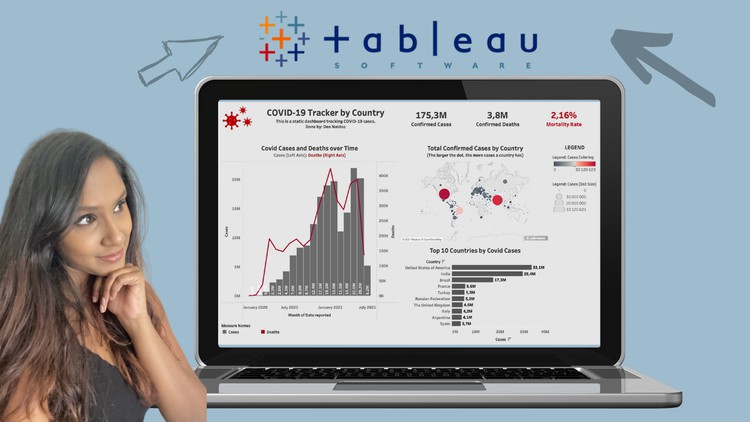
Tableau Crash Course 2021: Build & Share COVID19 Dashboards

- Description
- Curriculum
- FAQ
- Reviews
We are living in a data world right now. And, as a Data Engineer practicing in the real world, I know there’s a wealth of information out there that many people and companies don’t know what to do with!
This course will introduce you to Tableau, a data visualisation tool which enables you to create beautiful dashboards quickly with little use of code. What you’ll learn:
-
Create TWO beautifully designed dashboard about the Coronavirus
-
Share your dashboard online for the world to see
-
Connect to real, live data through Google Sheets
-
Perform calculations on Tableau
-
Build graphs and learn how to format them
-
Bonus Section: Create a dashboard analyzing Trump’s Tweets about COVID-19.
By the end of this course, you will know the fundamentals of Tableau and building modern dashboards. You can even add a link to the dashboards in your resume!
This course starts with Tableau basics. You will learn how to navigate the platform, connect to different data sources as well as build and publish dashboards.
You will learn how to create beautiful data visualizations such as various charts, maps, headline cards as well as interactive dashboards.
By the time you complete this course, you’ll be a confident in using Tableau. These skills are great if you are considering a career in Data Analytics or Data science.
-
1
 Introduction to Tableau and what we will be building
Hi,
In this lecture we will be introduced to Tableau and what we will build.
I detail the datasources for the whole course below:
First Dashboard: Automated Dashboard
Covid19 Worldwide Data (For Automated Dashboard): https://datahub.io/core/covid-
19/r/worldwide-aggregate.csv
Sometimes, websites can choose to discontinue updating the data. If so, this means your
dashboard won’t update! You can just use my google sheet to connect Tableau
https://docs.google.com/spreadsheets/d/1T9PDF_Ceo7Si15L5Pv-yHmoLy7EWgd2jUl-pv3-
Fj0g/edit?usp=sharing
Second Dashboard: Static Dashboard
To download the exact data source I was using:
https://finch-groundhog-9245.squarespace.com/s/WHO-COVID-19-global-data.csv
If you would like updated data:
https://covid19.who.int/WHO-COVID-19-global-data.csv
Icons
Dashboard Icon_Virus.png:
https://finch-groundhog-9245.squarespace.com/s/Dashboard-Icon_Virus.png
Dashboard Icon_Cases.png
https://finch-groundhog-9245.squarespace.com/s/Dashboard-Icon_Cases.png
Dashboard Icon_Deaths.png
https://finch-groundhog-9245.squarespace.com/s/Dashboard-Icon_Deaths.png
Dashboard Icon_Recoveries.png
https://finch-groundhog-9245.squarespace.com/s/Dashboard-Icon_Recoveries.png
-
2
Installing Tableau Desktop (Free Trial)
Hi
In this lecture we install Tableau Desktop. https://www.tableau.com/products/desktop/download
-
3
A quick setup check before we start
Hello!
Let's make sure you have exactly what we need before starting!
A Tableau Desktop account: https://www.tableau.com/products/desktop/download
Sign up for a Tableau Public account: https://public.tableau.com/en-us/s/
Make sure you have a Google account
-
4
Creating a Datasource on Google Sheets
Hi
In this lecture, we create a data source on Google Sheets using the importdata function.
I detail the datasources for the whole course below:
First Dashboard: Automated Dashboard
Covid19 Worldwide Data (For Automated Dashboard): https://datahub.io/core/covid-
19/r/worldwide-aggregate.csv
Sometimes, websites can choose to discontinue updating the data. If so, this means your
dashboard won’t update! You can just use my google sheet to connect Tableau
https://docs.google.com/spreadsheets/d/1T9PDF_Ceo7Si15L5Pv-yHmoLy7EWgd2jUl-pv3-
Fj0g/edit?usp=sharing
Second Dashboard: Static Dashboard
To download the exact data source I was using:
https://finch-groundhog-9245.squarespace.com/s/WHO-COVID-19-global-data.csv
If you would like updated data:
https://covid19.who.int/WHO-COVID-19-global-data.csv
Icons
Dashboard Icon_Virus.png:
https://finch-groundhog-9245.squarespace.com/s/Dashboard-Icon_Virus.png
Dashboard Icon_Cases.png
https://finch-groundhog-9245.squarespace.com/s/Dashboard-Icon_Cases.png
Dashboard Icon_Deaths.png
https://finch-groundhog-9245.squarespace.com/s/Dashboard-Icon_Deaths.png
Dashboard Icon_Recoveries.png
https://finch-groundhog-9245.squarespace.com/s/Dashboard-Icon_Recoveries.png
-
5
Opening Tableau and Walking through the Welcome Page
Hi,
In this lecture, we will open Tableau and walk through how the Welcome Page looks.
Have a look through Tableau's own Superstore Dashboard
https://www.tableau.com/solutions/gallery/superstore
I detail the datasources for the whole course below:
First Dashboard: Automated Dashboard
Covid19 Worldwide Data (For Automated Dashboard): https://datahub.io/core/covid-
19/r/worldwide-aggregate.csv
Sometimes, websites can choose to discontinue updating the data. If so, this means your
dashboard won’t update! You can just use my google sheet to connect Tableau
https://docs.google.com/spreadsheets/d/1T9PDF_Ceo7Si15L5Pv-yHmoLy7EWgd2jUl-pv3-
Fj0g/edit?usp=sharing
Second Dashboard: Static Dashboard
To download the exact data source I was using:
https://finch-groundhog-9245.squarespace.com/s/WHO-COVID-19-global-data.csv
If you would like updated data:
https://covid19.who.int/WHO-COVID-19-global-data.csv
Icons
Dashboard Icon_Virus.png:
https://finch-groundhog-9245.squarespace.com/s/Dashboard-Icon_Virus.png
Dashboard Icon_Cases.png
https://finch-groundhog-9245.squarespace.com/s/Dashboard-Icon_Cases.png
Dashboard Icon_Deaths.png
https://finch-groundhog-9245.squarespace.com/s/Dashboard-Icon_Deaths.png
Dashboard Icon_Recoveries.png
https://finch-groundhog-9245.squarespace.com/s/Dashboard-Icon_Recoveries.png
-
6
Connecting to the Google Sheet Data source
In this lecture, we connect Tableau to our Google Sheet.
In this lecture we learn how to build headline cards. We also learn how to create calculated fields!
I detail the datasources for the whole course below:
First Dashboard: Automated Dashboard
Covid19 Worldwide Data (For Automated Dashboard): https://datahub.io/core/covid-
19/r/worldwide-aggregate.csv
Sometimes, websites can choose to discontinue updating the data. If so, this means your
dashboard won’t update! You can just use my google sheet to connect Tableau
https://docs.google.com/spreadsheets/d/1T9PDF_Ceo7Si15L5Pv-yHmoLy7EWgd2jUl-pv3-
Fj0g/edit?usp=sharing
Second Dashboard: Static Dashboard
To download the exact data source I was using:
https://finch-groundhog-9245.squarespace.com/s/WHO-COVID-19-global-data.csv
If you would like updated data:
https://covid19.who.int/WHO-COVID-19-global-data.csv
Icons
Dashboard Icon_Virus.png:
https://finch-groundhog-9245.squarespace.com/s/Dashboard-Icon_Virus.png
Dashboard Icon_Cases.png
https://finch-groundhog-9245.squarespace.com/s/Dashboard-Icon_Cases.png
Dashboard Icon_Deaths.png
https://finch-groundhog-9245.squarespace.com/s/Dashboard-Icon_Deaths.png
Dashboard Icon_Recoveries.png
https://finch-groundhog-9245.squarespace.com/s/Dashboard-Icon_Recoveries.png
-
7
 Connecting and Preparing Data: Quiz
A short quiz to cover your knowledge on connecting and preparing data.
-
8
Building a Line Chart on Tableau
Hi,
In this lecture we build a line chart on Tableau. We also learn how to create a trend line as well as how to use and edit tooltips.
I detail the datasources for the whole course below:
First Dashboard: Automated Dashboard
Covid19 Worldwide Data (For Automated Dashboard): https://datahub.io/core/covid-
19/r/worldwide-aggregate.csv
Sometimes, websites can choose to discontinue updating the data. If so, this means your
dashboard won’t update! You can just use my google sheet to connect Tableau
https://docs.google.com/spreadsheets/d/1T9PDF_Ceo7Si15L5Pv-yHmoLy7EWgd2jUl-pv3-
Fj0g/edit?usp=sharing
Second Dashboard: Static Dashboard
To download the exact data source I was using:
https://finch-groundhog-9245.squarespace.com/s/WHO-COVID-19-global-data.csv
If you would like updated data:
https://covid19.who.int/WHO-COVID-19-global-data.csv
Icons
Dashboard Icon_Virus.png:
https://finch-groundhog-9245.squarespace.com/s/Dashboard-Icon_Virus.png
Dashboard Icon_Cases.png
https://finch-groundhog-9245.squarespace.com/s/Dashboard-Icon_Cases.png
Dashboard Icon_Deaths.png
https://finch-groundhog-9245.squarespace.com/s/Dashboard-Icon_Deaths.png
Dashboard Icon_Recoveries.png
https://finch-groundhog-9245.squarespace.com/s/Dashboard-Icon_Recoveries.png
-
9
Building Cards and Calculated Fields on Tableau
In this lecture we learn how to build headline cards. We also learn how to create calculated fields!
I detail the datasources for the whole course below:
First Dashboard: Automated Dashboard
Covid19 Worldwide Data (For Automated Dashboard): https://datahub.io/core/covid-
19/r/worldwide-aggregate.csv
Sometimes, websites can choose to discontinue updating the data. If so, this means your
dashboard won’t update! You can just use my google sheet to connect Tableau
https://docs.google.com/spreadsheets/d/1T9PDF_Ceo7Si15L5Pv-yHmoLy7EWgd2jUl-pv3-
Fj0g/edit?usp=sharing
Second Dashboard: Static Dashboard
To download the exact data source I was using:
https://finch-groundhog-9245.squarespace.com/s/WHO-COVID-19-global-data.csv
If you would like updated data:
https://covid19.who.int/WHO-COVID-19-global-data.csv
Icons
Dashboard Icon_Virus.png:
https://finch-groundhog-9245.squarespace.com/s/Dashboard-Icon_Virus.png
Dashboard Icon_Cases.png
https://finch-groundhog-9245.squarespace.com/s/Dashboard-Icon_Cases.png
Dashboard Icon_Deaths.png
https://finch-groundhog-9245.squarespace.com/s/Dashboard-Icon_Deaths.png
Dashboard Icon_Recoveries.png
https://finch-groundhog-9245.squarespace.com/s/Dashboard-Icon_Recoveries.png
-
10
Building Charts and Calculated Fields
This quiz is to test your knowledge on building charts and creating calculations.
-
11
Building a Dashboard on Tableau
In this lecture, we learn how to build our dashboard.
In this lecture we learn how to build headline cards. We also learn how to create calculated fields!
I detail the datasources for the whole course below:
First Dashboard: Automated Dashboard
Covid19 Worldwide Data (For Automated Dashboard): https://datahub.io/core/covid-
19/r/worldwide-aggregate.csv
Sometimes, websites can choose to discontinue updating the data. If so, this means your
dashboard won’t update! You can just use my google sheet to connect Tableau
https://docs.google.com/spreadsheets/d/1T9PDF_Ceo7Si15L5Pv-yHmoLy7EWgd2jUl-pv3-
Fj0g/edit?usp=sharing
Second Dashboard: Static Dashboard
To download the exact data source I was using:
https://finch-groundhog-9245.squarespace.com/s/WHO-COVID-19-global-data.csv
If you would like updated data:
https://covid19.who.int/WHO-COVID-19-global-data.csv
Icons
Dashboard Icon_Virus.png:
https://finch-groundhog-9245.squarespace.com/s/Dashboard-Icon_Virus.png
Dashboard Icon_Cases.png
https://finch-groundhog-9245.squarespace.com/s/Dashboard-Icon_Cases.png
Dashboard Icon_Deaths.png
https://finch-groundhog-9245.squarespace.com/s/Dashboard-Icon_Deaths.png
Dashboard Icon_Recoveries.png
https://finch-groundhog-9245.squarespace.com/s/Dashboard-Icon_Recoveries.png
-
12
Publishing our Dashboard to Tableau Public
In this lecture we learn how to publish our Dashboard to Tableau Public!
Make sure you sign up for an account, https://public.tableau.com/en-us/s/
In this lecture we learn how to build headline cards. We also learn how to create calculated fields!
I detail the datasources for the whole course below:
First Dashboard: Automated Dashboard
Covid19 Worldwide Data (For Automated Dashboard): https://datahub.io/core/covid-
19/r/worldwide-aggregate.csv
Sometimes, websites can choose to discontinue updating the data. If so, this means your
dashboard won’t update! You can just use my google sheet to connect Tableau
https://docs.google.com/spreadsheets/d/1T9PDF_Ceo7Si15L5Pv-yHmoLy7EWgd2jUl-pv3-
Fj0g/edit?usp=sharing
Second Dashboard: Static Dashboard
To download the exact data source I was using:
https://finch-groundhog-9245.squarespace.com/s/WHO-COVID-19-global-data.csv
If you would like updated data:
https://covid19.who.int/WHO-COVID-19-global-data.csv
Icons
Dashboard Icon_Virus.png:
https://finch-groundhog-9245.squarespace.com/s/Dashboard-Icon_Virus.png
Dashboard Icon_Cases.png
https://finch-groundhog-9245.squarespace.com/s/Dashboard-Icon_Cases.png
Dashboard Icon_Deaths.png
https://finch-groundhog-9245.squarespace.com/s/Dashboard-Icon_Deaths.png
Dashboard Icon_Recoveries.png
https://finch-groundhog-9245.squarespace.com/s/Dashboard-Icon_Recoveries.png
-
13
Building and Publishing Dashboards: Quiz
This quiz will test your knowledge in building and publishing dashboards.
-
14
Static Dashboard Walkthrough- What we will be building?
In this lecture we go through what we will be building.
I detail the datasources for the whole course below:
First Dashboard: Automated Dashboard
Covid19 Worldwide Data (For Automated Dashboard): https://datahub.io/core/covid-
19/r/worldwide-aggregate.csv
Sometimes, websites can choose to discontinue updating the data. If so, this means your
dashboard won’t update! You can just use my google sheet to connect Tableau
https://docs.google.com/spreadsheets/d/1T9PDF_Ceo7Si15L5Pv-yHmoLy7EWgd2jUl-pv3-
Fj0g/edit?usp=sharing
Second Dashboard: Static Dashboard
To download the exact data source I was using:
https://finch-groundhog-9245.squarespace.com/s/WHO-COVID-19-global-data.csv
If you would like updated data:
https://covid19.who.int/WHO-COVID-19-global-data.csv
Icons
Dashboard Icon_Virus.png:
https://finch-groundhog-9245.squarespace.com/s/Dashboard-Icon_Virus.png
Dashboard Icon_Cases.png
https://finch-groundhog-9245.squarespace.com/s/Dashboard-Icon_Cases.png
Dashboard Icon_Deaths.png
https://finch-groundhog-9245.squarespace.com/s/Dashboard-Icon_Deaths.png
Dashboard Icon_Recoveries.png
https://finch-groundhog-9245.squarespace.com/s/Dashboard-Icon_Recoveries.png
-
15
Connecting to Tableau to a Text File or CSV
Hello! In this lecture we learn how to connect to a Text file or .CSV on Tableau.
To download the exact data source I was using:https://finch-groundhog-9245.squarespace.com/s/WHO-COVID-19-global-data.csv
If you would like updated data:
https://covid19.who.int/WHO-COVID-19-global-data.csv
I detail the datasources for the whole course below:
First Dashboard: Automated Dashboard
Covid19 Worldwide Data (For Automated Dashboard): https://datahub.io/core/covid-
19/r/worldwide-aggregate.csv
Sometimes, websites can choose to discontinue updating the data. If so, this means your
dashboard won’t update! You can just use my google sheet to connect Tableau
https://docs.google.com/spreadsheets/d/1T9PDF_Ceo7Si15L5Pv-yHmoLy7EWgd2jUl-pv3-
Fj0g/edit?usp=sharing
Second Dashboard: Static Dashboard
To download the exact data source I was using:
https://finch-groundhog-9245.squarespace.com/s/WHO-COVID-19-global-data.csv
If you would like updated data:
https://covid19.who.int/WHO-COVID-19-global-data.csv
Icons
Dashboard Icon_Virus.png:
https://finch-groundhog-9245.squarespace.com/s/Dashboard-Icon_Virus.png
Dashboard Icon_Cases.png
https://finch-groundhog-9245.squarespace.com/s/Dashboard-Icon_Cases.png
Dashboard Icon_Deaths.png
https://finch-groundhog-9245.squarespace.com/s/Dashboard-Icon_Deaths.png
Dashboard Icon_Recoveries.png
https://finch-groundhog-9245.squarespace.com/s/Dashboard-Icon_Recoveries.png
-
16
Building a Dual Axis Chart on Tableau
Hi, in this video I show you how to create a dual axis chart!
I detail the datasources for the whole course below:
First Dashboard: Automated Dashboard
Covid19 Worldwide Data (For Automated Dashboard): https://datahub.io/core/covid-
19/r/worldwide-aggregate.csv
Sometimes, websites can choose to discontinue updating the data. If so, this means your
dashboard won’t update! You can just use my google sheet to connect Tableau
https://docs.google.com/spreadsheets/d/1T9PDF_Ceo7Si15L5Pv-yHmoLy7EWgd2jUl-pv3-
Fj0g/edit?usp=sharing
Second Dashboard: Static Dashboard
To download the exact data source I was using:
https://finch-groundhog-9245.squarespace.com/s/WHO-COVID-19-global-data.csv
If you would like updated data:
https://covid19.who.int/WHO-COVID-19-global-data.csv
Icons
Dashboard Icon_Virus.png:
https://finch-groundhog-9245.squarespace.com/s/Dashboard-Icon_Virus.png
Dashboard Icon_Cases.png
https://finch-groundhog-9245.squarespace.com/s/Dashboard-Icon_Cases.png
Dashboard Icon_Deaths.png
https://finch-groundhog-9245.squarespace.com/s/Dashboard-Icon_Deaths.png
Dashboard Icon_Recoveries.png
https://finch-groundhog-9245.squarespace.com/s/Dashboard-Icon_Recoveries.png
-
17
Building a map on Tableau
Hi! In this video we learn how to create a Map on Tableau.
I detail the datasources for the whole course below:
First Dashboard: Automated Dashboard
Covid19 Worldwide Data (For Automated Dashboard): https://datahub.io/core/covid-
19/r/worldwide-aggregate.csv
Sometimes, websites can choose to discontinue updating the data. If so, this means your
dashboard won’t update! You can just use my google sheet to connect Tableau
https://docs.google.com/spreadsheets/d/1T9PDF_Ceo7Si15L5Pv-yHmoLy7EWgd2jUl-pv3-
Fj0g/edit?usp=sharing
Second Dashboard: Static Dashboard
To download the exact data source I was using:
https://finch-groundhog-9245.squarespace.com/s/WHO-COVID-19-global-data.csv
If you would like updated data:
https://covid19.who.int/WHO-COVID-19-global-data.csv
Icons
Dashboard Icon_Virus.png:
https://finch-groundhog-9245.squarespace.com/s/Dashboard-Icon_Virus.png
Dashboard Icon_Cases.png
https://finch-groundhog-9245.squarespace.com/s/Dashboard-Icon_Cases.png
Dashboard Icon_Deaths.png
https://finch-groundhog-9245.squarespace.com/s/Dashboard-Icon_Deaths.png
Dashboard Icon_Recoveries.png
https://finch-groundhog-9245.squarespace.com/s/Dashboard-Icon_Recoveries.png
-
18
Building Sets, Top 10 charts and using conditional statements
Hi, in this video we learn the following:
How to use sets to create Top 10 charts.
How to filter on sets
How to work with conditional statements
I detail the datasources for the whole course below:
First Dashboard: Automated Dashboard
Covid19 Worldwide Data (For Automated Dashboard): https://datahub.io/core/covid-
19/r/worldwide-aggregate.csv
Sometimes, websites can choose to discontinue updating the data. If so, this means your
dashboard won’t update! You can just use my google sheet to connect Tableau
https://docs.google.com/spreadsheets/d/1T9PDF_Ceo7Si15L5Pv-yHmoLy7EWgd2jUl-pv3-
Fj0g/edit?usp=sharing
Second Dashboard: Static Dashboard
To download the exact data source I was using:
https://finch-groundhog-9245.squarespace.com/s/WHO-COVID-19-global-data.csv
If you would like updated data:
https://covid19.who.int/WHO-COVID-19-global-data.csv
Icons
Dashboard Icon_Virus.png:
https://finch-groundhog-9245.squarespace.com/s/Dashboard-Icon_Virus.png
Dashboard Icon_Cases.png
https://finch-groundhog-9245.squarespace.com/s/Dashboard-Icon_Cases.png
Dashboard Icon_Deaths.png
https://finch-groundhog-9245.squarespace.com/s/Dashboard-Icon_Deaths.png
Dashboard Icon_Recoveries.png
https://finch-groundhog-9245.squarespace.com/s/Dashboard-Icon_Recoveries.png
-
19
Dual Axis and Sets: Quiz
This quiz will test your knowledge on Dual Axis charts and Sets.