
Substance painter 2020 - The complete 3D Texturing course
A complete introduction to 3D Texturing from beginner to intermediate using substance painter 2020

- Description
- Curriculum
- FAQ
- Reviews
Welcome to the Substance painter – complete 3d texturing course .
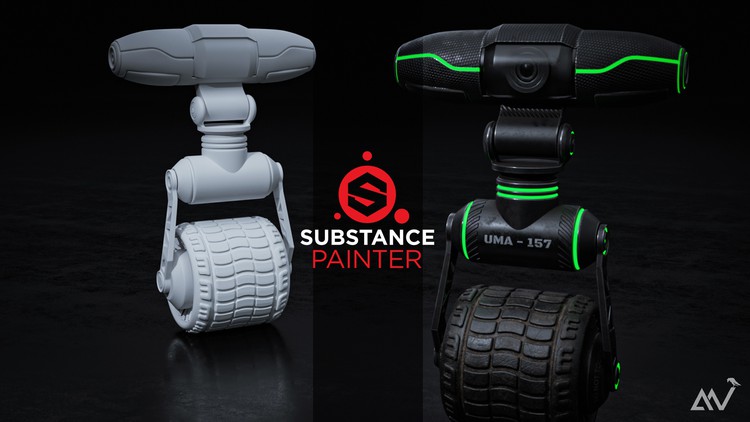
In this course you will learn all the tools and trechniques used by artists within substance painter to make detailled and realistic 3d textures on your 3d models .
The course is composed of three parts . the first part is dedicated to introducing you to all the tools that you will be using in substance painter, the render engine within the software and the UI etc . While the second and third parts of the course go through the 3d texturing process of two 3d assets provided with the course from start to finish .
What you will learn :
- 3D texturing tools available in substance painter .
- Creating and using materials in substance painter .
- Filters , generators and procedural 3D texturing tools .
- Correct mesh maps baking methods to avoid common issues .
- rendering your 3D textured model and applying post effects using IRAY render engine inside of substance painter .
Enroll now and start learning the industry standard 3d texturing software substance painter .
Introduction
Texturing the shield
-
3
 Ui and introduction
 -
4
Scene navigation
-
5
Paint brush tool
-
6
Image projection tool
-
7
Polygon fill tool
-
8
Symmetry
-
9
Fill layers
-
10
Painting on masks
-
11
Fills on masks
-
12
Levels
-
13
Filters
-
14
Color selection ( from ID map )
-
15
Generators
-
16
Baking mesh maps
-
17
Preparing id maps in Blender 2.9
-
18
Anchor points
-
19
Using and creating smart materials - smart masks
-
20
Instantiating materials across texture sets
How long do I have access to the course materials?
You can view and review the lecture materials indefinitely, like an on-demand channel.
Can I take my courses with me wherever I go?
Definitely! If you have an internet connection, courses on Udemy are available on any device at any time. If you don't have an internet connection, some instructors also let their students download course lectures. That's up to the instructor though, so make sure you get on their good side!
Stars 5
17
Stars 4
12
Stars 3
8
Stars 2
0
Stars 1
1
Course available for 4 days
Course details
Video
4 hours
Certificate of Completion
Full lifetime access
Access on mobile and TV
Popular courses



