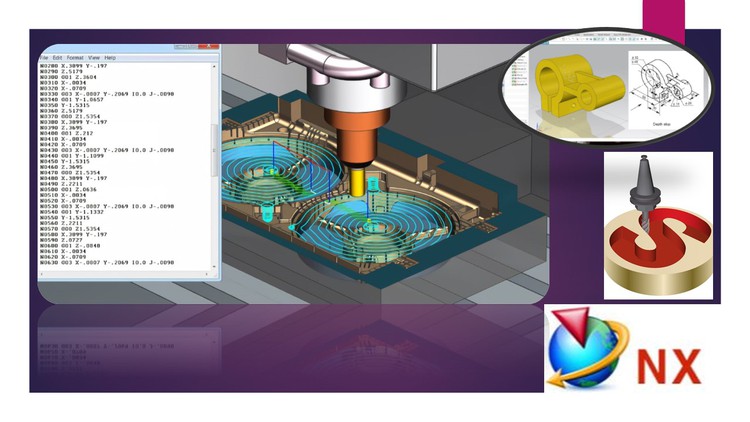
Siemens NX CADCAM Post Builder+Solidcam+NX CAM2027 Interface

- Description
- Curriculum
- FAQ
- Reviews
Course Main Contents (5 Courses!):
- Course 1: NX CAM (Milling – Turning – Wire EDM) + NX 2027 CAM Interface + G Code & CNC Overview
- Course 2: NX Post Builder
- Course 3: NX Sheet Metal
- Course 4: NX CAD (Modelling – Assembly – Drafting)
- Course 5: Solidcam (Manufacturing)
Sample From reviews:
- very good explanation, thank you(Rating 5❤)
- CAM course nice(Rating 5❤)
- great teaching method, we appreciate it.(Rating 5❤)
- Thank you sir (Rating 5❤)
- Great and simple explanation ❤ (Rating 5❤)
- You have made life so easier. Thanks for sharing this course, God bless you.(Rating 5❤)
- Really great course! It gives good coverage of all operations available in Soldcam. Thank you very much (Rating 5❤)
- Thanks Sir for this amazing collection of courses and support, actual this one of the very very nice courses, and the instructor support is very nice, Thanks sir (Rating 5❤)
- I m wondering for these collection of courses, Thanks Sir for this effort. (Rating 5❤)
- This is by far the most comprehensive NXCAM tutorial on the planet Earth. I HIGHLY recommend it. Many thanks to you Sir. (Rating 5❤)
- Thank You Sir For this very Nice Course, First course to have cad and cam with very professional and simple way at same time!!, it helps me a lot during my study, again many thanks sir. (Rating 5❤)
- Thank you for these Great course, really it is the best NX CAM Course that I learned, I recommend. (Rating 5❤)
- I loved the course…. Simple and easy to understand for all levels!!!, looking forward to see more courses from you!!!. (Rating 5)
- Thanks for this wonderful course. (Rating 5❤)
- I have only watched the first 4 Lectures for you till now, I m super excited and optimistic about learning NX with you, Thank you so much. (Rating 5❤)
- Great !!!!!, No waste time, helpful course, Thanks !!!!! (Rating 5❤)
- Nice!!!!! I hope you provide all NX modules. (Rating 5❤)
- You are great!!, Please do you have NX Mold Design Course?, Thank you. (Rating 5❤)
- Amazing very nice. (Rating 5❤)
- Good, direct and simple information. (Rating 5❤)
- Good, this course made my life easy in NX Cam, I recommend. (Rating 5❤)
- Very Good way of explanation, and very useful, Thank you. (Rating 5❤)
- Nice!!!!!!!(Rating 5❤)
Course Contents in Details
1- G Code & CNC Overview
2- NX CAM Milling (3Axis, 4 & 5 Axis)
3- NX CAM Turning
4- NX CAM Drilling
5- NX CAM Wire EDM
6- NX CAM Millturn
7- NX Post Builder
8- NX Sheet Metal
9- NX CAD Sketching
10- NX CAD Modelling
11- NX Synchronous Modelling
12- NX Surface Creation Basics
13- NX Assembly Overview
14- NX Drafting Overview
15- NX CAD & CAM Projects
16- Solidcam Milling (3Axis, 4 & 5 Axis)
17- Solidcam Turning
18- Solidcam Millturn
19- Solidcam Drilling (3Axis, 4 & 5 Axis)
20- NX 2027 CAM Interface (New Additional Sessions)
Description:
- Introduction to the concept of CNC G-Code (Prerequisites for NX CAM)
- You will be professional user in NX CAM.
- Additional NX CAM 2027 Interface sessions added to the course to be able to use the latest version.
- You will learn most of CAD (Modelling & Assembly) Features to model any part for Manufacturing.
- This Course covers conclusion of the most common operations that you will use during your actual work, the idea of this course to provide small course with low price contains the most important operations and options.
- NX CAM & Post Builder Course introduce the most common Milling, Turning and Wire EDM Operations ( 3 Axis & Multi Axis), the course will be step by step to make the full operations from beginning to generate the G code, also to customize the G code to be readable with any CNC machine type or any number of axis.
- After this course, you will be able to use the NX CAD / CAM & Post Builder to do Modelling & Machining for any Part and to use NX CAM with any CNC Machines.
- After this course, you will be able to use Sheet Metal Features.
- After this course, you will be able to create G code for Milling, Turning and Wire EDM operations (3 Axis & Multi Axis).
Notes:
- You will download all parts that we used during the course and more parts for practice.
- You can send me any G & M codes to help you in post builder in your CNC machine.
- The implementation of this course is in NX 11 but you will be able to implement using any version.
- Additional NX CAM 2027 Interface sessions added to the course to be able to use the latest version.
- You will have full technical support.
- Weekly additional Exercise will be added to the course according to students requirements (If Required).
-
1
 General Course Introduction
 -
2
CAM General Steps (3 Axis Rough & Finish Operations)
Establish the program, tool, method, and geometry parent groups to define parameters for reuse.
Create operations to define the tool paths.
Generate and verify the tool paths.
Post process the tool paths to format the data for your machine tools and controllers.
Create shop documentation.
-
3
Introduction to the concept of CNC G-Code (Prerequisites for NX CAM)
-
4
NX CAM & Post Builder Overview
In this Session, you will have a full vision for the course contents, also some definitions that we will use during the course, please note that this course is more practical course, we will focus only in the most common operations that we are using in our work, we will focus only in the most common parameters that you must need in your work, all course will be in 3hrs which give you the advantage to learn NX CAM quickly and to start to implement this in your work, also you will have all kind of technical support from the instructor after the course
-
5
3 Axis Rough Operations (Plunge Milling)
Plunge Milling is a unique milling operation that is best used in deep areas that require a long tool. Successive plunge motions take advantage of the increased rigidity when a tool moves along the Z-axis to efficiently rough out large volumes of blank material. The reduced radial force makes it possible to use long slender tools and maintain a high rate of material removal. Plunge Milling is attractive for finishing hard-to-reach deep walls using long slender tool assemblies.
Using Plunge Milling to rough contoured shapes usually leaves large scallops and steps. Use an In Process Workpiece in subsequent operations to get a more consistent remaining stock.
The distinctive characteristics of Plunge Milling are:
It roughs out material.
It cuts down the tool axis.
When there are multiple regions, Plunge Milling starts at the deepest plunge depth. Each successive region then ignores the previous region.
-
6
3 Axis Rough Operations (Corner Rough)
-
7
3 Axis Planar operation and Planar with IBW
-
8
3 Axis Face Milling operation and Face Milling Manual
-
9
3 Axis Finish Operations (Z Level Profile)
Use Z-Level Milling for fixed-axis semi-finishing and finishing. Z-Level Milling removes material in planar levels that are perpendicular to a fixed tool axis. Cutting is completed at a constant Z level before moving on to the next Z level.
-
10
3 Axis Finish Operations (Z Level Corner Finish)
-
11
3 Axis Finish Operations (More Operations)
Fixed-axis Surface Contouring operations and Variable-axis Surface Contouring operations finish areas on contoured surfaces by removing material along the part contours.
-
12
3 Axis Finish Operations (Another Example)
-
13
3 Axis Finish Operations (Another Example)
-
14
Multi axis Finish Operations (Streamline operation)
You will learn how to do Multi axis milling operation and control the tool axis to be normal to the surface in each point
-
15
Multi axis Finish Operations (Tool Axis Control-1)
You will learn how to control the tool axis for the Multi axis operations
-
16
Multi axis Finish Operations (Tool Axis Control-2)
You will learn how to control the tool axis for the Multi axis operations
-
17
Multi axis Finish Operations (Tool Axis Control-3)
You will learn how to control the tool axis for the Multi axis operations
-
18
Multi axis Finish Operations (Tool Axis Control-4)
You will learn how to control the tool axis for the Multi axis operations
-
19
Multi axis Finish Operations (Tool Axis Control-5)
You will learn how to control the tool axis for the Multi axis operations
-
20
Multi axis Finish Operations (Z Level 5 Axis Operation 1)
You will learn how to do Multi axis milling operation.
-
21
Multi axis Finish Operations (Z Level 5 Axis Operation 2)
-
22
Multi 4 axis Finish Operations (Streamline operation) with Machine Simulation
You will learn how to do Multi axis milling operation, also and to do simulation for the CNC machine (Multi Axis)
-
23
Drilling Operations
You will learn how to do drilling operations (Spot Drilling, Drilling,...)
-
24
Wire EDM Operation
Wire Electric Discharge Machining (WEDM) is an electro thermal process in which a single strand of wire is used in conjunction with de-ionized water to conduct electricity, allowing the wire to cut through or about the workpiece. This process makes it possible to use Wire EDM to machine complex parts. The wire is usually made of brass, copper, or tungsten.
you will learn how to do wire edm operation with NX CAM
-
25
Cutting Parameters & Non-Cutting Moves part 1-2
You will learn how to control the cutting parameters and non cutting moves, to define the home point and start point, to make smooth corners for the tool path and other important options.
-
26
Cutting Parameters & Non-Cutting Moves part 2-2
You will learn how to control the cutting parameters and non cutting moves, to optimize the cutting tool path, to make smooth corners for the tool path and other important options.
-
32
Post Builder 3 Axis Milling
You will learn how to use NX post builder to customize the G code.
-
33
Post Builder Multi Axis Milling
You will learn how to use NX post builder to customize the G code (Milling 3 axis CNC machine).
-
34
Post Builder Fanuc Example
You will learn how to use NX post builder to customize the G code for Fanuc control.
-
35
Project 1 Milling 3 Axis
-
36
Project 2 Milling Multi Axis
-
37
Project 3 Turning Operations
-
38
Project 4 Drilling Operations
-
39
Project 5 Feature Based Machining
-
40
Project 6 General Milling & Drilling Operations
-
41
Project 7 - Multi Blade operations
-
42
Project 8 Milling Multi Axis with different Tool Axis positions
-
43
Project 9 Hole Milling & Thread Milling
-
44
Project 10 Groove Milling
-
45
Project 11 Millturn Operations
-
46
Project 12 Milling 3 Axis & Indexing
-
51
Sheet Metal Introduction
-
52
Sheet Metal Base Tab
-
53
Sheet Metal Flange & Contour Flange
-
54
Sheet Metal Bend Options
-
55
Sheet Metal Corner Options
-
56
Sheet Metal Bend Options and Cut-out
-
57
Sheet Metal Joggle Advanced Flange Lightening Cut-out
-
58
Convert part to Sheet Metal
-
59
Sheet Metal from Solid
-
60
Analyze Formability – One-step
-
61
Metaform Part 1
-
62
Metaform Part 2
-
63
Sheet Metal Features
-
64
Sheet Metal Feature Pattern