Rigging with joysticks n'sliders in After Effects

- Description
- Curriculum
- FAQ
- Reviews
In the first chapter of this course we will introduce the Joystick script and explain its tools.
We will first explain the tools of the joystick panel and how they work and then we’ll talk about Sliders panel tools, so that in the next few chapters that we’ll be doing the project and rigging the face, no more ambiguity about the tools of this script.
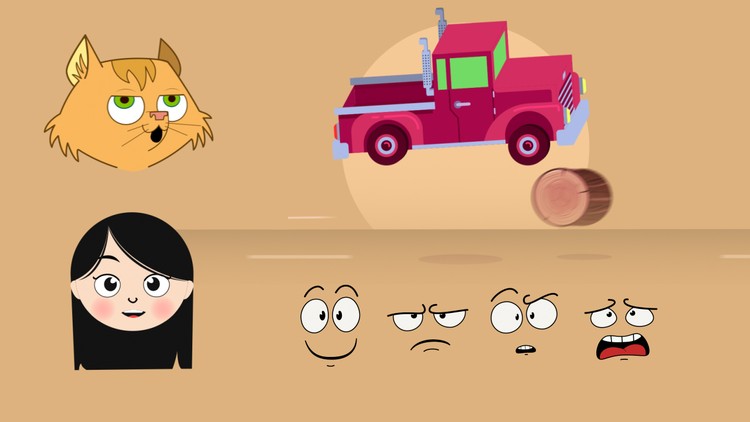
In the second chapter we will start with the design of the girl’s head and then how to rig it.
in the third chapter of this course you’ll learn another way to rig a character which is suitable for cases the charachter’s face has more details or you need more poses of your character’s head
and in the fourth chapter we’ll talk about how to rig a car an create 3D modes for it, to understand that Joystick script is not just for the head and facial rigging but also for other objects.
Here some of the techniques you will Learn:
- you will learn how to use this script professionally for rigging,
- you’ll learn how to use expressions in your rigging process,
- you’ll learn how to rig your character’s head in two useful ways
- and how to rig your character’s head using joysticks panel
- and how to rig your character’s head using switch panel.
- How to rig a 3d car with joystick script in after effects.
- and many other techniques of rigging!
This is a very practical course, That will give you the Practical knowledge of Rigging in Joysticks ‘n Sliders and Adobe After Effects.
With our 30-day 100% money back guarantee, there is nothing holding you back from jumping in right now and trying the course out.
Go ahead and click the enroll button, and start rigging your character for your next Project.
So, I’ll see you inside!
-
1
 01 - Introduction
In this lesson we are going to talk about what you are learning in this course and how to install the joystick script
-
2
02 - Chapter 01 part 01 (Setup)
In this part, we are going to talk about the joystick panel, especially the setup panel tools.
-
3
03 - Chapter 01 Part 02 (JoyStick Tools)
-
4
04 - Chapter 01 Part 03 (Switch Templates)
-
5
05 - Chapter 01 Part 04 (Move JoyStick)
-
6
06 - Chapter 01 Part 05 (Sliders Panel)
-
7
07 - Chapter 02 Part 01 (Face Design)
-
8
08 - Chapter 02 Part 02 (Mouth Design)
-
9
09 - Chapter 02 Part 03 (Hair Design)
-
10
10 - Chapter 02 Part 04 (set Origin And Right Poses)
-
11
11 - Chapter 02 Part 05 (set Left And Up And Down Poses)
-
12
12 - Chapter 02 Part 06 (Rigging Head And Eye)
-
13
13 - Chapter 02 Part 07 (Rigging Mouth)
-
14
14 - Chapter 02 Part 08 (Blink)
-
15
15 - Chapter 02 Part 09 (professional Rigging)
-
16
16 - Chapter 03 Part 01 (Head Rig)
we're gonna talk about another method to rig character's head. Which is easier than previous method
-
17
17 - Chapter 03 Part 02 (Blink)
In this part, we're gonna learn how to rig character's eye
-
18
18 - Chapter 03 Part 03 (Eye Rig)
In this part, you'll learn how to rig the character's pupils.
-
19
19 - Chapter 03 Part 04 (Mouth Rig)
In this part, you'll learn how to rig character's mouth.