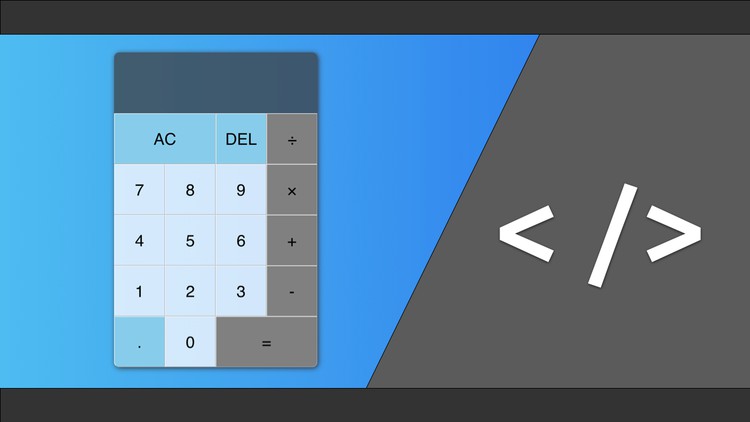
React Projects - Build a Calculator

- Description
- Curriculum
- FAQ
- Reviews
In this course I will walk you step by step through how to build a calculator with React from scratch. Throughout the course you will learn to use React Components, as well as basic React Hooks. By the end of the course you will have created a fully functional calculator that you can add to your portfolio.
-
1
 Introduction
 -
2
Downloading and Installing Visual Studio Code and Useful Extensions
In this lesson we will install the Visual Studio Code editor.
We will also install some important extensions that will help improve our coding experience. The Extensions we will install are:
Bookmarks
HTML CSS Support
HTML Snippets
Prettier
ES7 React/Redux/GraphQL/React-Native Snippets
-
3
Download and Install Node.js
In this lesson we will install Node.js. Node.js is a is a JavaScript runtime built on Chrome's V8 JavaScript engine. We will use Node.js as the underlying platform to run our project.
-
4
Installing Yarn
Yarn is a super fast, super reliable package manager for Node.js. We will install Yarn on our computers to make it easier to work with node packages. Don't despair, if for some reason you aren't able to get yarn installed you can just replace yarn commands with:
npm run <command> -
5
Setting up the Project
In this lesson we will set up a react application using create-react-app. Will will start with the basic react app that is generated and make a few small changes to prepare for building our calculator.
-
6
Creating the base Calculator Component
In this lesson we will create the base component that will be the main container for the entire calculator.
-
7
Creating The Main Container Styled Component
In this lesson we build the main styled component to being to give our calculator some shape.
-
8
Building the Screen Styled Components
In this lesson we will build the styled component to give the screen a look and feel.
-
9
Creating the Button Styled Components
In this lesson we will build the styled components for the buttons. We will also add in some logic to style some buttons differently.
-
10
Handling the Number Button Clicks
In this lesson we will add functionality to our number buttons.
-
11
Handling All Clear and Delete Functionality
In this lesson we will add functionality to our all clear and delete buttons.
-
12
Handling Operation Clicks and the Equals Button
In this lesson we will handle clicks on operation buttons as well as the equals button.
-
13
Computing the Value
In this lesson we will build the compute function that will handle all of the calculations for our calculator.