React JS and .NET Core Web API Full Stack Master Course

- Description
- Curriculum
- FAQ
- Reviews
The demand for a Full-Stack Web Developer is the highest compared to any technology professional. They are paid exceptionally well both in the companies and also as freelancers.
This is due to the fact that full-stack web developers have diverse set of skills.
-
They are good at Database Development.
-
Backend Development.
-
And also in Front End Development.
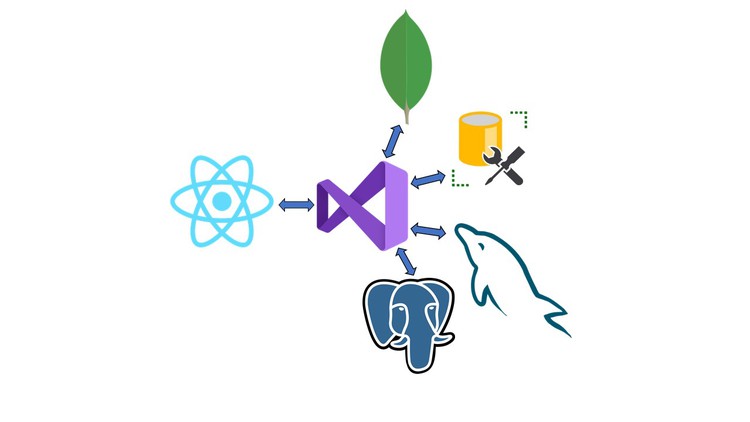
In this course, you will learn full stack web development with React JS for the frontend and .Net Core Web API for the backend.
We will build the same backend project with different databases such as Microsoft SQL Server, My SQL, Mongo DB and Postgre SQL.
Sections in this Master Course:
1) React JS, .NET Core Web API and Microsoft SQL Server.
2) React JS, .NET Core Web API and Mongo DB.
3) React JS, .NET Core Web API and Postgre SQL.
4) React JS, .NET Core Web API and My SQL.
With React JS, you will learn to
* Add routing to our app.
* Add bootstrap table with custom sorting and filtering features.
* Add modal pop up window with drop down and date picker.
* We will also learn how to upload an image and save it in the backend sever.
I am sure that this course will definitely help you in your journey as a full stack web developer.
Welcome to the course, and happy learning.
-
1
 Introduction
 -
2
Install Visual Studio
-
3
Install Visual Studio Code
-
4
Install Postman
-
5
Install SQL Server Management Studio
-
6
Install Node JS
-
7
Create DB Objects
-
8
Web API Project
-
9
Enable CORS and JSON Serializer
-
10
Models
-
11
Department Screen APIs
-
12
Employee Screen APIs
-
13
Upload File API
-
14
Create React JS Project
-
15
Routing and Navigation
-
16
Bootstrap Table
-
17
Modal Popup Window
-
18
Employee Details Screen
-
19
Upload Image File
-
20
Sorting and Filtering
-
21
 Project Files
-
22
Introduction
-
23
Install Visual Studio
-
24
Install Visual Studio Code
-
25
Install Postman
-
26
Install Mongo DB Compass
-
27
Install Node JS
-
28
Create DB Objects
-
29
Web API Project
-
30
Enable CORS and JSON Serializer
-
31
Models
-
32
Department Screen APIs
-
33
Employee Screen APIs
-
34
Upload File API
-
35
Create React JS Project
-
36
Routing and Navigation
-
37
Bootstrap Table
-
38
Modal Popup Window
-
39
Employee Details Screen
-
40
Upload Image File
-
41
Sorting and Filtering
-
42
Project Files
-
43
Introduction
-
44
Install Visual Studio
-
45
Install Visual Studio Code
-
46
Install Postman
-
47
Install PG Admin
-
48
Install Node JS
-
49
Create DB Objects
-
50
Web API Project
-
51
Enable CORS and JSON Serializer
-
52
Models
-
53
Department Screen APIs
-
54
Employee Screen APIs
-
55
Upload File API
-
56
Create React JS Project
-
57
Bootstrap Table
-
58
Modal Popup Window
-
59
Employee Details Screen
-
60
Upload Image File
-
61
Sorting and Filtering
-
62
Project Files