Practical Reinforcement Learning using Python - 8 AI Agents

- Description
- Curriculum
- FAQ
- Reviews
Join the most comprehensive Reinforcement Learning course on Udemy and learn how to build Amazing Reinforcement Learning Applications!
Do you want to learn how to build cutting edge trading algorithms that leverage todays technology? Or do you want to learn the tools and skills that are considered the state of the art of Artificial Intelligence? Or do you just want to learn Reinforcement Learning in a Highly practical way?
After completing this course you will be able to:
-
Build any reinforcement learning algorithm in any environment
-
Use Reinforcement Learning for your own scientific experiments
-
Solve problems using Reinforcement Learning
-
Leverage Cutting Edge Technologies for your own project
-
Master OpenAI gym’s
Why should you choose this course?
This course guides you through a step-by-step process of building state of the art trading algorithms and ensures that you walk away with the practical skills to build any reinforcement learning algorithm idea you have and implement it efficiently.
Here’s what’s included in the course:
-
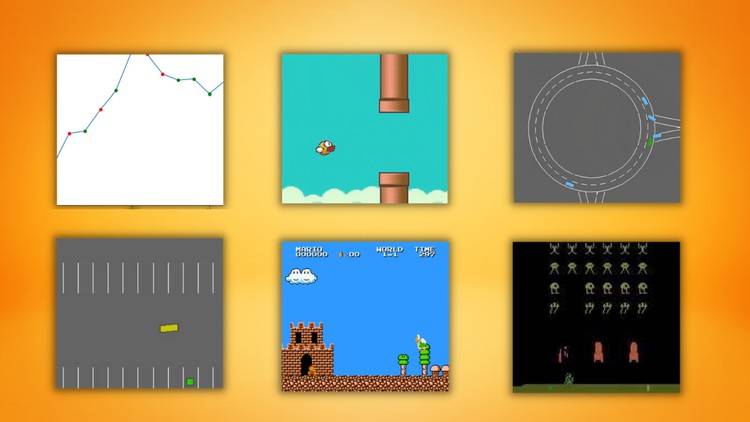
Atari Reinforcement Learning Agent
-
Build Q-Learning from scratch and implement it in Autonomous Taxi Environment
-
Build Deep Q-Learning from scratch and implement it in Flappy Bird
-
Build Deep Q-Learning from scratch and implement it in Mario
-
Build a Stock Reinforcement Learning Algorithm
-
Build a intelligent car that can complete various environments
-
And much more!
This course is for you if …
-
You’re interested in cutting edge technology and applying it in practical ways
-
You’re passionate about Deep Learning/AI
-
Want to learn about cutting-edge technologies!
-
Want to learn reinforcement learning by doing cool projects!
Course prerequisites:
-
Python!
-
26
 Setting up Project & Installing Python Packages
 -
27
Importing Packages
-
28
Setting up Gym Environment
-
29
Building Class for Mario Agent
-
30
Building Neural Network
-
31
Act Function
-
32
Update Epsilon Function
-
33
Train Function
-
34
Preprocess State for Neural Network Function
-
35
Learn Function
-
36
Creating a Better Learning Environment for Agent
-
37
Save & Load Agent
-
38
Visualizing our Agent
-
39
Setting up Project & Installing Python Packages
-
40
Importing Packages
-
41
Getting our S&P 500 Data
-
42
Preprocessing our Data
-
43
Creating our Environment
-
44
Taking Random Actions in Environment
-
45
Creating Model & Learning from Environment
-
46
Visualizing our Agent
-
47
PART 2: Implementing 89 different Technical Indicators in Data
-
48
PART 2: Creating Environment with Technical Indicators
-
49
PART 2: Visualizing our Agent in TA Environment