PIC18 Microcontroller: Step By Step Guide

- Description
- Curriculum
- FAQ
- Reviews
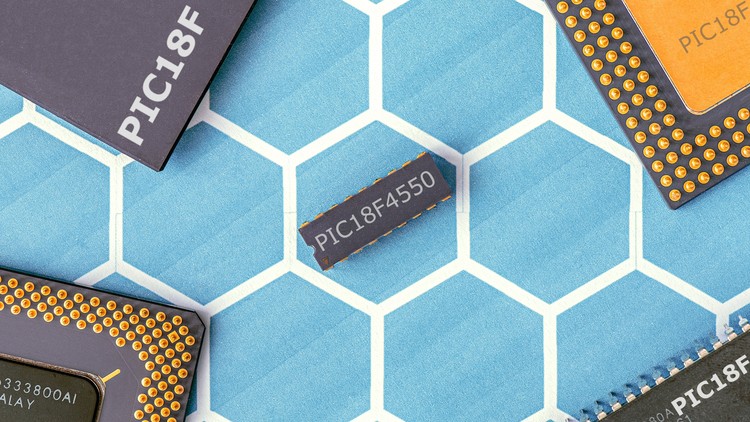
You will enter PIC18 Microcontroller world, Know the main differences between PIC16 and PIC18, when it is better to use PIC18, and what are the wiring and programming differences between PIC16 and PIC18
In this Course i will teach you how to program PIC 18F Microcontrollers using MikroC Pro compiler. But you should be familiar with the basics of PIC Programming using MikroC compiler. If you are a beginner to this field, please Check our Course: PIC Microcontroller Step By Step your complete guide .
There are a lot of advantages for PIC 18F microcontrollers compared to 16F. And we will discuss these advantages and why sometimes it’s better to go with a PIC18 instead of PIC16.
The PIC18F product family also has an 8-bit CPU and offers extended performance over the PIC16F device family. The PIC18F device family can operate at speeds up to 12 MIPS and has a hardware multiplier for faster calculation of control algorithms. There are variants in the PIC18F family with specialized motor control peripherals, including a 3-phase motor control PWM peripheral and a quadrature encoder interface (QEI). Other PIC18F variants have the ECCP module found on the PIC16F device family. Source code developed for the PIC16F device family can be easily migrated to the PIC18F family. Devices with the motor control PWM module are well suited for variable speed 3-phase motor applications, while devices with the ECCP module are useful for brush DC and stepper motor applications.
This course is designed to introduce the PIC18 Microcontroller hardware and programming environment to get you started on building projects as soon as possible.
Unleash Your Inner Hero With this Course
-
PIC Microcontroller Inner structure and Programming Introduction
-
Leds, Resistors and Push buttons
-
DIY Projects and Quick Tips
This course is designed for anyone interested in learning electronic design. No experience is required, and all you need is PIC Microcontroller and several low cost components.
With hours of content in many lectures, this course will take you from zero experience in electronics or programming to PIC Microcontroller Master.
-
1
 Introduction
 -
2
Who We Are?
Educational Engineering Team
Team of skilled Engineers Sharing Knowledge with the World
Educational Engineering Team is a Leading Team in Microcontroller Industry, with over 13 Years of Experience in Teaching and Doing Practical Projects.
We strive to put all our hands-on experience in these courses. Instead of superficial knowledge - we go into the depth of the topic and give you the exact - step by step blueprint on how to tame simple as well as complex topics in easy and digestible bite-sized videos.
This real-world knowledge enables you to grasp knowledge easily, and you can apply this learning immediately to your life and projects.
Educational Engineering Team has been in the Programming and Microcontroller business since 2007. We have been part of many projects. Over the course of these years - we have gained a good insight into students’ and educators’ needs. We are passionate about sharing all our collective knowledge with you. As of 2018, we have already taught over 250k-THOUSAND students and counting.
Currently, we have more than 100+ Courses on Udemy
Educator and Author of "Educational Engineering".
Ashraf is an educator, Mechatronics engineer, electronics and programming hobbyist, and Maker. He creates online video courses on the EduEng YouTube Channel (More Than 4 Million View, 20k + Subscriber) and author of four Microcontroller books.
As a Chief Educational Engineer since 2007 at Educational Engineering Team, the company he founded, Ashraf’s mission is to explore new trends and technology and help educate the world and make it a better place.
Educational Engineering offers educational courses and Bootcamps, articles, lessons, and online support for electronics hobbyists, Programming hobbyists, Microcontroller hobbyists, STEM students, and STEM teachers.
That team also work as freelancer engineers, helping many students in their graduation projects, and provide guidance and consulting for many students over the years to help them kick-start their career.
Ashraf’s core skill is explaining difficult concepts through in a step by step easy to understand matter using video and text. With over 11 years of tertiary teaching experience, Ashraf has developed a simple yet comprehensive and informative style in teaching that students from all around the world appreciate.
His passion for Microcontrollers and Programming and in particular for the world of Arduino, PIC Microcontroller, Rasberry Pi has guided his personal development and his work through Educational Engineering.
Ashraf’s online courses have helped over 250,000 people from around the world to be better and to make a great career in the industry.
Educational Engineering Team offer Course on
Circuit Design, Simulation, and PCB Fabrication
Arduino, PIC Microcontroller, and Raspberry Pi
Programming in C, Python, and other programming languages
PLC Industrial Programming and Automation
3D Design and Simulation
ESP and IoT World
For more information use the links in the profile page to follow Educational Engineering Team and Ashraf’s latest innovations.
-
3
Quick Overview