
NX CAM 2027 (Manufacturing) + NX 11 CAM & Post Builder
NX 2027 CAM (Milling 3, 4, 5 Axis - Turning - Wire EDM) & Customize G Code (Post Builder) + NX 11 CAM

- Description
- Curriculum
- FAQ
- Reviews
Sample From reviews:
- First NX CAM latest version course !! thanks(Rating 5❤)
- The course is very clear and good for a beginner or expert. highly recommend this course.(Rating 5❤)
- First NX CAM latest version course !! thanks(Rating 5❤)
- Thanks(Rating 5❤)
- Amazing, Organized(Rating 5❤)
- Nice!!!!!!!!!(Rating 5❤)
- Thank you for your Sharing(Rating 5❤)
- Nice as usual(Rating 5❤)
Course Main Contents (3 Courses!):
- Course 1: NX CAM 2027 (Milling – Turning – Wire EDM)
- Course 2: NX CAM 11 (Milling – Turning – Wire EDM)
- Course 3: NX Post Builder
Course Contents in Details
1- G Code & CNC Overview
2- NX 2027 CAM Milling (3Axis, 4 & 5 Axis)
3- NX 2027 CAM Turning
4- NX 2027 CAM Drilling
5- NX 2027 CAM Wire EDM
7- NX 2027 Post Builder
8- NX 11 CAM Milling (3Axis, 4 & 5 Axis)
9- NX 11 CAM Turning
10- NX 11 CAM Drilling
11- NX 11 CAM Wire EDM
12- NX 11 Post Builder
13- NX 11 CAM Mill turn
Description:
- First Course for NX CAM Latest Version
- Introduction to the concept of CNC G-Code (Prerequisites for NX CAM)
- You will be professional user in NX CAM Latest Version.
- This Course covers conclusion of the most common operations that you will use during your actual work.
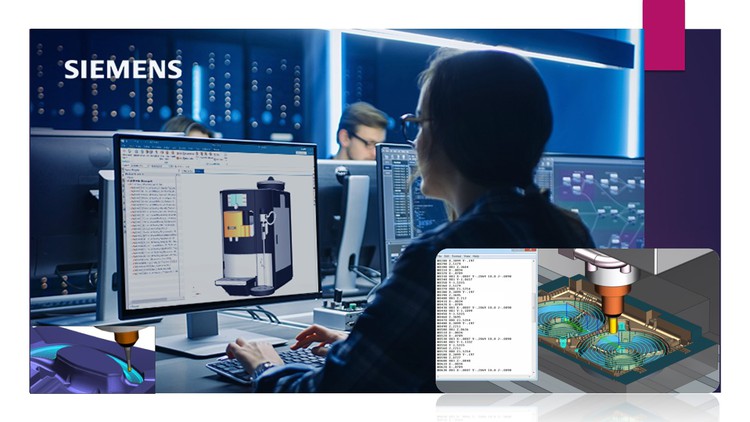
- NX CAM & Post Builder Course introduce the most common Milling, Turning and Wire EDM Operations (3 Axis & Multi Axis), the course will be step by step to make the full operations from beginning to generate the G code, also to customize the G code to be readable with any CNC machine type or any number of axis.
- After this course, you will be able to create G code for Milling, Turning and Wire EDM operations (3 Axis & Multi Axis).
Notes:
- You will download all parts that we used during the course and more parts for practice.
- You can send me any G & M codes to help you in post builder in your CNC machine.
- The implementation of this course is in NX 11 & NX 2027, but you will be able to implement using any version.
- You will have full technical support.
- Weekly additional Exercise will be added to the course according to students’ requirements (If required).
NX 11 Milling 3 Axis Operations (Roughing & Finishing)
NX 11 Milling Multi Axis Operations & Machine Simulation
-
2
 NX CAM & Post Builder Overview
 -
3
CAM General Steps (3 Axis Rough & Finish Operations)
-
4
3 Axis Rough Operations (Plunge Milling)
-
5
3 Axis Rough Operations (Corner Rough)
-
6
3 Axis Planar operation and Planar with IBW
-
7
3 Axis Face Milling operation and Face Milling Manual
-
8
3 Axis Finish Operations (Z Level Profile)
-
9
3 Axis Finish Operations (Z Level Corner Finish)
-
10
3 Axis Finish Operations (More Operations)
-
11
3 Axis Finish Operations (Another Example)
NX 11 Drilling & Wire EDM Operations
-
12
Multi axis Finish Operations (Streamline operation)
-
13
Multi axis Finish Operations (Tool Axis Control-1)
-
14
Multi axis Finish Operations (Tool Axis Control-2)
-
15
Multi axis Finish Operations (Tool Axis Control-3)
-
16
Multi axis Finish Operations (Tool Axis Control-4)
-
17
Multi axis Finish Operations (Tool Axis Control-5)
-
18
Multi axis Finish Operations (Z Level 5 Axis Operation 1)
-
19
Multi axis Finish Operations (Z Level 5 Axis Operation 2)
-
20
Multi 4 axis Finish Operations (Streamline operation) with Machine Simulation
NX 11 Cutting Parameters & Non-Cutting Moves
NX 11 Blank & Tool Creation and Cut levels option
NX 11 Turning Operations Basics
NX 11 Post Builder Basics
NX 11 CAM Projects
NX 2027 CAM (Latest Version) General Steps
-
33
Project 1 Milling 3 Axis
-
34
Project 2 Milling Multi Axis
-
35
Project 3 Turning Operations
-
36
Project 4 Drilling Operations
-
37
Project 5 Feature Based Machining
-
38
Project 6 General Milling & Drilling Operations
-
39
Project 7 - Multi Blade operations
-
40
Project 8 Milling Multi Axis with different Tool Axis positions
-
41
Project 9 Hole Milling & Thread Milling
-
42
Project 10 Groove Milling
-
43
Project 11 Millturn Operations
-
44
Project 12 Milling 3 Axis & Indexing
NX 2027 CAM (Latest Version) Roughing Operations
NX 2027 CAM (Latest Version) Finishing Operations (3 Axis)
NX 2027 CAM (Latest Version) Multi Axis Operations
-
50
Finishing Operation (ZLEVEL_PROFILE_STEEP)
-
51
Finishing Operation (Contour Area - Curve Drive)
-
52
Finishing Operation (Streamline - Surface Area)
-
53
Finishing Operation (Streamline - Surface Area - Area Milling)
-
54
3 Axis Finishing Operations (Z Level Undercut)
-
55
3 Axis Corner Finishing Operations (Flow Mill Single - Flow Mill Multible)
NX 2027 CAM (Latest Version) Drilling Operations
-
56
Multi Axis Operations (Roughing - Streamline Finishing)
-
57
Multi Axis Operations (Streamline 4 Axis Tool Axis Control)
-
58
Multi Axis Operations (Streamline 5 Axis Tool Axis Control)
-
59
Multi Axis Operations (Streamline 5 Axis Tool Axis Control)
-
60
Multi Axis Operations (Variable Contour 5 Axis Tool Axis Control)
-
61
Multi Axis Operations (Z Level 5 Axis Operation)
-
62
Finishing Operation (Rotary Floor)
-
63
Finishing Operation (ROTARY_DEBURRING)
-
64
3 Axis & Multi Axis Finishing Operations (Fixed Axis Guiding Curve - Variable)
NX 2027 CAM (Latest Version) Post Builder Overview
NX 2027 CAM (Latest Version) Wire EDM Overview
NX 2027 CAM (Latest Version) Turning Operations
NX 2027 CAM (Latest Version) Blank - Tool Creation & Cutting - Non Cutting Moves
NX 2027 CAM (Latest Version) Projects
How long do I have access to the course materials?
You can view and review the lecture materials indefinitely, like an on-demand channel.
Can I take my courses with me wherever I go?
Definitely! If you have an internet connection, courses on Udemy are available on any device at any time. If you don't have an internet connection, some instructors also let their students download course lectures. That's up to the instructor though, so make sure you get on their good side!
Stars 5
43
Stars 4
0
Stars 3
1
Stars 2
2
Stars 1
1
Course details
Video
8 hours
Certificate of Completion
Full lifetime access
Access on mobile and TV
Popular courses



