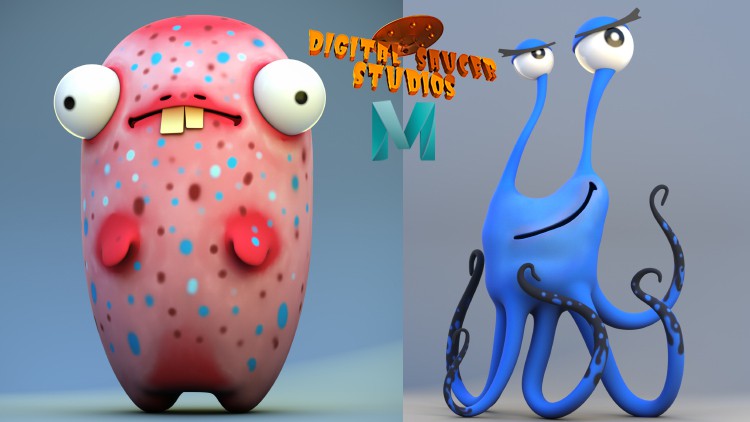
Modeling and Rendering Cute Characters in Maya 2020

- Description
- Curriculum
- FAQ
- Reviews
Modeling and Rendering Cute Characters in Maya 2020
In this tutorial, I will show you how to create TWO FUN, CUTE, CARTOON CHARACTERS in Maya 2020.
But first I begin by showing you some of the basic tools in Maya, like how to navigate the camera, how to set up your viewport in preparation to do some modeling, and how to use some of Maya’s most common modelling tools, like the:
-
EXTRUDE TOOL
-
MULTI-CUT TOOL
-
MIRROR TOOL
-
BEVEL TOOL
Then we move on to do some modeling.
Firstly, we block out the character shapes, then complete the process by adding details and learning how to use correct geometry so your models look clean and professional.
The next step is to use the UV Editor to create nice, clean UV maps for the characters. Having great UVs are important for when it comes to texturing.
I will show you how to texture in Maya using a variety of ways, mainly using various nodes inside the HYPERSHADE, and using the 3D Paint Tool.
Finally, I will show you how to set up the lighting, and how to create nice, clean, gorgeous renders of your models.
You will find this tutorial very informative, and packed with professional tips and tricks that will allow you to create your own characters in Maya.
-
9
 01. Blocking Out the Body
 -
10
02. Creating the Eyeballs
-
11
03. Projecting Curves for Nostril and Mouth
-
12
04. Creating the Hand
-
13
05. Creating the Leg and Halfing the Model
-
14
06. Quad Draw Tool to Create Topology
-
15
07. Relaxing Topology with Quad Draw
-
16
08. Finishing the Nostril
-
17
09. Finishing the Mouth
-
18
10. Finishing the Eye
-
19
11. Attaching the Hand
-
20
12. Creating the Feet
-
21
13. Finishing the Feet and Mirroring the Body
-
22
14. Creating the Teeth and Fixing the Nostrils
-
23
15. Fixing the Geometry
-
24
16. Fixing the Geometry and Finishing the Mouth
-
25
17. Setting Up the Camera and Background
-
26
18. UV Mapping the Left Eye
-
27
19. UV Mapping the Right Eye
-
28
20. UV Mapping the Teeth
-
29
21. UV Mapping the Hands, Mouth and Nostrils
-
30
22. UV Mapping the Body
-
31
23. Creating the Skydome Light
-
32
24. Creating the Arnold Materials
-
33
25. Adding Ambient Occlusion
-
34
26. Texturing the Eyes
-
35
27. Texturing the Teeth
-
36
28. Texturing the Body
-
37
29. Applying the Body Texture to Arnold Material
-
38
30. Creating Area Lights
-
39
31. Creating the Final Render