Introduction to object-oriented programming with Arduino

- Description
- Curriculum
- FAQ
- Reviews
Especially in the development of microcontrollers we often work with libraries, for example to control hardware components. The advantages of flexible and efficient source code design will be introduced to you in this course.
An ESP32 is used in the entire course, but all the examples (except the last one with the Website/Webserver and WIFI), exercises and explanations can be done with any Arduino.
Once you have completed this course, you will be able to…
-
…create your own object-oriented programs and libraries
-
…program reusable source code
-
… create clean source code architecture for flexible programming and adaptation
-
… code generalized classes and provide the libraries
-
… implement the basic concepts of OOP for your own projects and apply them immediately.
-
… save time for cumbersome programming. Because of the given conceptual design, your self-written code is easier to adapt.
-
… maintain your own code better even after a longer period of time.
What we go through in the course:
-
Basics of object-oriented programming in the Arduino environment. We will go through the essential contents of OOP step by step. We will get right into practical examples.
-
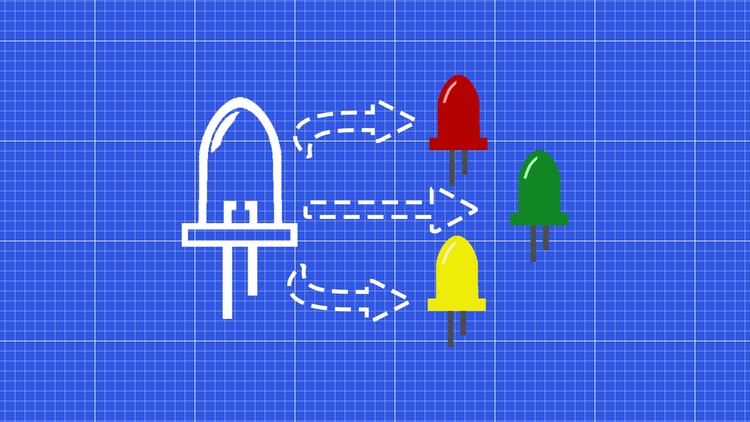
Practical example: Own LED class. Many different functions and interfaces.
-
Practical example 2: Galton board with marble elevator and evaluation of 12 IR sensors.
-
Practical example 3: Headlamp with only one(!) button, two LEDs and three light modes.
-
Practical example: Rock, paper, scissors game. We develop this small game. We compete against the bot and play to win two games. The logic is triggered by a web server on the ESP32 (with server side events).
My approach in the course:
-
None (ok, only very few) slides/Powerpoints. We start in the basics immediately with a practical example. Also the theory can be tested immediately on the Arduino with the Serial Monitor and thus immediately better understood.
-
The practical projects are developed together in step-by-step instructions.
-
Together means in this context that I demonstrate the code, depending on the task, and you can follow me along with the source code.
-
All codes are available for download on the platform, so you can get to the result without frustration.
-
No rambling explanations or theory monologues, we get right to work in the basics chapter.
Benefit from my years of experience and get the key skills in microcontroller development.
I’m looking forward to see you in class
Markus Edenhauser
-
15
 Intro
Intro -
16
Basic setting of an empty project
-
17
Structure of a class & data encapsulation
-
18
Instance and constructor
-
19
Overloading constructor
-
20
Exercise example Interaction of header and CPP files
-
21
Getter
-
22
Setter
-
23
Inheritance
-
24
Inherited function overloaded
-
25
Recap Introduction OOP
-
26
 Quiz 1
-
47
Project idea
-
48
Wiring
-
49
Add Class Button
-
50
Debounce button with millis
-
51
Detect duration of clicks
-
52
Clean Interface
-
53
Control LEDs
-
54
ButtonHeadlamp inherits from Button
-
55
Function Keep button pressed
-
56
Add function Fade
-
57
Additional task implement LED class
-
58
Possible solution
-
59
Quiz 4
-
60
Project idea
-
61
Wiring
-
62
Creating class files
If you use a platform version > 3.5, it can come to errors with the library of the web server as of 05/2022.
So for this example, use the following in platform.ini
platform = [email protected]
-
63
Headerfile
-
64
First game mode
-
65
Game mode in loop
-
66
Create a website
-
67
Access website via ESP32 Webserver
-
68
Transfer data from website to ESP32
-
69
Game mode on two games won
-
70
Sending Server Side Events
-
71
Prettify events
-
72
Implement LED Class
-
73
Housing