
Hot
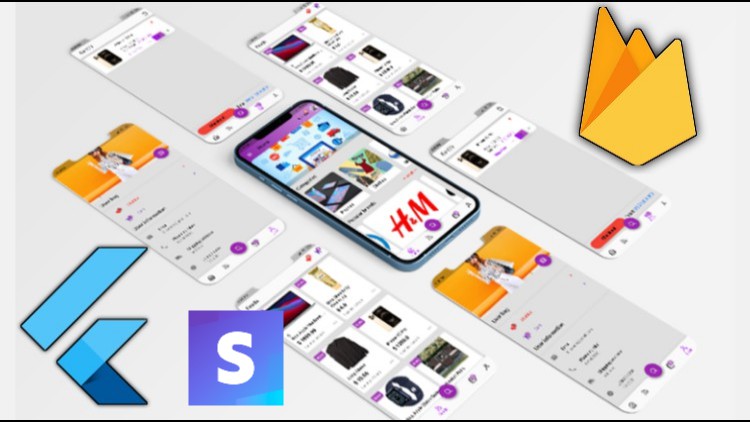
Flutter 1.2 with Firebase&Stripe Build shop app from scratch
[INTERMEDIATE] Flutter full shop app with Firebase to cover Flutter and Firebase concepts&Stripe payment integration

- Description
- Curriculum
- FAQ
- Reviews
Course prerequisites:
- Basic knowledge in programming to get started
- Basic knowledge in Flutter
- Concepts are explained clearly. You will always learn what you’re building and why, and then how to do it.
How this course can be of help:
- Gaining more knowledge in Flutter and firebase
- Learn how to make an online shopping application simply
What’s in the course:
- Complex UI done simply
- State management
- Firebase
- Clean-code and avoid Boilerplate code
- Styles for UI
- State Management: setState, lifting state up via callbacks, global access, scoped access with Provider and ChangeNotifier
- Navigation
- Dart
- Forms, input handling and validation
- Managing and updating packages
- Databases and Cloud Firestore
- ListViews and multiple UI states
- Firebase Authentication
- Firebase Firestore
- Firebase Storage
- Dart Programming Language – Fundamentals and intermediate topics
- How to understand Flutter Mobile Development by building apps incrementally.
- How to design, build, debug Flutter Android and iOS Apps
- How to get Flutter apps to communicate with a realtime database – Firestore
- How to build robust apps with Flutter
- Flutter AppBar
- Flutter Material Design
- Flutter Row and Column
- Flutter ListView Builder
- Stripe payment gateway
Course structure:
approximately 14 hours of content and updated regally
Requirements:
- Windows application development
- Mac application development
- Access to a computer with an internet connection.
- and you are ready for the journey
- Love learning about applying cutting-edge algorithms to practical cases!
What Should I Expect After this Course?:
- The ability to build a fully functional shopping application with a firebase
- new information regarding Flutter
Note that the course build on windows, so I didn’t have a chance to cover the IOS configurations! But feel free to ask anything about it. I will be there to help.
Start Coding
State management
-
8
 Creating a bottom bar
 -
9
Using custom icons
-
10
Working on the user Screen
-
11
Creating a title widget in the user screen
-
12
Adding switch tile
-
13
Adding a sliver app-bar
-
14
Adding the floating action button
-
15
Adding the dark theme
-
16
Saving the dark theme state
-
17
Implementing the Empty Cart Screen
-
18
Implementing the Full Cart Screen
-
19
Continue building the Full Cart screen , build the App Bar and checkout section
-
20
Cart design optimization
-
21
Building the feed products widget
-
22
Implementing the Feed Grid-view
-
23
Implementing of the Feed staggered Grid View
-
24
Changing FloatingActionButton color and delete extra widgets in the user screen
-
25
Changing the icons widget in the user screen
-
26
Adding the feed badge
-
27
Adding an alignment for the badge (positioned widget)
-
28
Start building the home screen, add the backdrop layout
-
29
Adding a carousel
-
30
Adding a swipper
-
31
Creating the category design
-
32
Creating the popular items design
-
33
Creating the brand inner screen design
-
34
Creating the backdrop back-layer design
-
35
Implementing the Empty Wishlist design
-
36
Implementing the Full Wishlist design
-
37
 Full code until now
 -
38
Building the Product details screen
-
39
Creating the Product model class
-
40
Dynamic data for the products
Cart state management
-
41
Why do we need state management?
-
42
Creating the products provider
-
43
Another way instead of passing data through constructor
-
44
Showing the products depending on each category
-
45
Finalize the categories
-
46
Finishing the brands
-
47
Finishing up the popular products
-
48
Finishing up the products details screen
-
49
Handling view all in the brands
-
50
Implementing popular products for the popular brands
Wishlist state management
-
51
Implementing the cart model
-
52
Starting with cart provider finishing the total
-
53
Creating the add to cart method
-
54
using the dependency injection for the cart
-
55
Disable the button once the user add to cart
-
56
Use the cartAttr provider instead of dependency injection and make it clickable
-
57
Allow the user to add to their cart from the popular products
-
58
Implementing the plus and minus buttons
-
59
Allow the user to delete from his cart and clear all items
-
60
show the total ammount
-
61
Creating dynamic alert dialog method
More UI and improvements
How long do I have access to the course materials?
You can view and review the lecture materials indefinitely, like an on-demand channel.
Can I take my courses with me wherever I go?
Definitely! If you have an internet connection, courses on Udemy are available on any device at any time. If you don't have an internet connection, some instructors also let their students download course lectures. That's up to the instructor though, so make sure you get on their good side!
Stars 5
305
Stars 4
142
Stars 3
55
Stars 2
22
Stars 1
14
Course details
Video
15 hours
Lectures
11
Certificate of Completion
Full lifetime access
Access on mobile and TV
Popular courses



