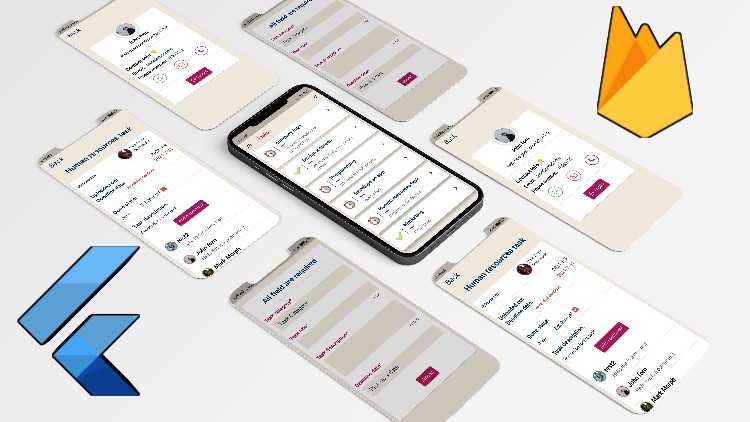
Flutter 2.2 & Firebase, build a complete app from scratch

- Description
- Curriculum
- FAQ
- Reviews
Course prerequisites:
-
Basic knowledge in programming to get started
-
Basic knowledge in Flutter
-
Concepts are explained clearly. You will always learn what you’re building and why, and then how to do it.
How this course can be of help:
-
Gaining more knowledge in Flutter and firebase
-
Learn how to build fully functional apps and publish it to the Playstore
What’s in the course:
-
Complex UI is done simply
-
State management (SETSTATE)
-
Firebase
-
Clean-code and avoid Boilerplate code
-
Styles for UI
-
State Management: setState, lifting state up via callbacks, global access, scoped access with Provider and ChangeNotifier
-
Navigation
-
Dart
-
Forms, input handling, and validation
-
Managing and updating packages
-
Databases and Cloud Firestore
-
ListViews and multiple UI states
-
Firebase Authentication
-
Firebase Firestore
-
Firebase Storage
-
Dart Programming Language – Fundamentals and intermediate topics
-
How to understand Flutter Mobile Development by building apps incrementally.
-
How to design, build, debug Flutter Android and iOS Apps
-
How to get Flutter apps to communicate with a real-time database – Firestore
-
How to build robust apps with Flutter
-
Flutter AppBar
-
Flutter Material Design
-
Flutter Row and Column
-
Flutter ListView Builder
Course structure:
approximately 10 hours of content and updated regally
Requirements:
-
Windows application development
-
Mac application development
-
Access to a computer with an internet connection.
-
and you are ready for the journey
-
Love learning about applying cutting-edge algorithms to practical cases!
What Should I Expect After this Course?:
-
The ability to build any application using Flutter and Firebase. You will be an expert.
-
New information regarding Flutter
Note that the course builds on windows, so I didn’t have a chance to cover the IOS configurations! But feel free to ask anything about it. I will be there to help.

-
10
 Implement the animated background in the login screen
 -
11
Finish the login screen design
-
12
Implement the Signup screen
-
13
Allow the user to navigate between Text Field using keyboard button (FocusNode)
-
14
Implement the forget password screen
-
15
Implement the main screen design
-
16
Change the drawer Icon color and Icon Data
-
17
Implement the delete task dialog
-
18
Implement the filter dialog design in the main screen
-
19
Implement the drawer header, add a constant class and explain what static means
-
20
Add the drawer body
-
21
Implement the sign out dialog design
-
22
Implement the add task screen design
-
23
Add the drawer in the add task screen
-
24
Implement the task category dialog in the add task screen
-
25
Implement the choose date dialog
-
26
Fix a null error if no date is picked
-
27
Implement the all registered workers screen
-
28
Create the user profile screen UI
-
29
Change the sign up screen design and add more widgets to it
-
30
Implement the image picker dialog
-
31
Implement the image picker functions
-
32
Implement the image cropper function
-
33
Start implementing the task details screen
-
34
Animated switcher to add a comment
-
35
Implement the comment widget design
-
36
Add dynamic border color for the commenter profile image
-
37
Send message via whatsapp
-
38
Send an email from the app
-
39
Open contact dialer app to allow the user to reach other workers numbers
-
40
What is Firebase?
-
41
Connect our app to Firebase
-
42
Get started with Firebase Auth
-
43
Initialize the Firebase app to fix the Firebase initialization error
-
44
Allow the users to Signup using Email and Password
-
45
Errors handling
-
46
Allow the users to login
-
47
Error Handling from one dart class only
-
48
Show different screens wether the user is signed in or not
-
49
Implement the sign out method and code improvement
-
50
What is Firebase Firestore
-
51
Save extra user data on the cloud Firestore
-
52
Upload user image to the Firebase storage and save the link in the Firestore
-
53
Fetch the user data and display it in the profile screen
-
54
Show the correct data for each user in the profiel screen
-
55
Start fetching all the workers from the Firebase Firestore
-
56
Display the correct data for each worker
-
57
Check if this is the same logged in user in the profile screen
-
58
Start with uploading task to the Firestore database
-
59
Generate a dynamic unique ID for each task
-
60
Add a spinner and show a toast
-
61
Handle empty task category and empty deadline date
-
62
Clear the form
-
63
Fetch the tasks from the Firestore
-
64
Allow only the task uploader to delete the task
-
65
Start fetching the task details
-
66
Allow the uploader to change task state if done or not done and other improv
-
67
Implement the Post a comment method ( write its function )
-
68
Start fetching the comments from the Firestore
-
69
Display the comments on the screen
-
70
Allow the users to visit commenters profile