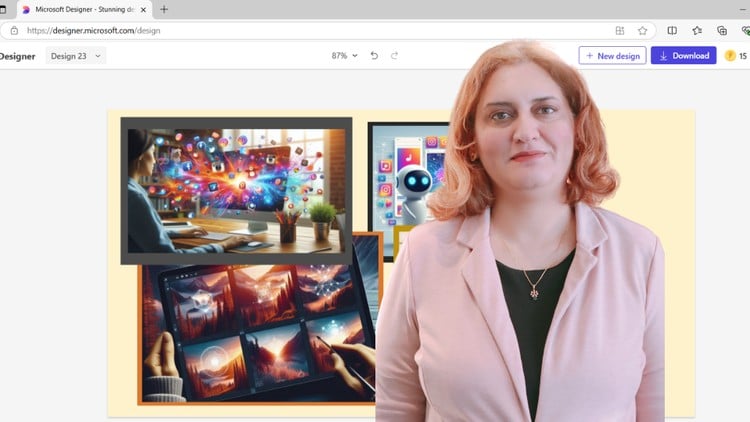
Design Stunning AI Images - Bing AI & Microsoft Designer

- Description
- Curriculum
- FAQ
- Reviews
Want to stand out on Facebook, Instagram, Pinterest, YouTube, TikTok, and more?
In today’s competitive social media landscape, where visuals are the key to going viral, this course will teach you how to create scroll-stopping content that not only boosts engagement but also makes your social media shine — all in just 15 minutes or less.
Say goodbye to boring designs and overused templates. With this course, you’ll unlock the power of AI-driven tools like Microsoft Bing AI Image Creator and Microsoft Designer to create one-of-a-kind visuals that are completely unique to you. No one else will have the same design, giving you a distinct edge in an increasingly crowded digital space.
Whether you’re managing multiple platforms, looking to grow a dedicated following, or simply enhancing your personal profile, this course will help you save valuable time while creating eye-catching graphics that people can’t help but share. Imagine designing hundreds of posts with ease, or producing engaging content for Instagram photos, and YouTube thumbnail that grabs attention in just seconds.
You’ll master the features of Microsoft Bing AI and Microsoft Designer, giving you the ability to stay ahead of trends, create designs that reflect your brand’s identity, and turn followers into loyal fans. Whether you’re a designer, influencer, entrepreneur, or simply looking to improve your social media game, this course is tailored to ensure you stand out and succeed.
In addition to learning how to use these powerful AI tools, you’ll gain mastery in crafting highly effective AI prompts that are key to producing high-quality, professional visuals. By learning how to precisely instruct AI models, you’ll unlock the full potential of AI in design—allowing you to control style, composition, colors, and lighting for results that match your creative vision. Whether it’s building a brand identity or driving viral engagement, mastering AI prompts will ensure your content looks sharp, polished, and distinct.
Join today and start creating stunning, professional-quality visuals that get the likes, comments, and shares you deserve.
Key Takeaways:
-
Master both Microsoft Bing AI Image Creator and Microsoft Designer to deliver high-quality, shareable content for any platform.
-
Master AI prompt design to create unique, scroll-stopping content in 15 minutes or less using AI-powered tools.
-
Create unique, scroll-stopping content in 15 minutes or less using AI-powered tools.
-
Enhance engagement on major social media platforms like Facebook, Instagram, Pinterest, YouTube, and TikTok.
-
Produce professional-grade visuals without the need for advanced design skills.
-
Effortlessly produce high-quality, on-brand visuals for any platform.
-
Save time with streamlined workflows, and create content that resonates with your audience and drives action.
Start leveraging the power of AI to transform your social media strategy and build a strong, engaging online presence today!
Disclaimer:
Please note that some theoretical chapters of this course feature AI-generated voice narration. While I strive to provide a seamless and engaging learning experience, the use of AI-generated voice helps ensure consistency and clarity in the delivery of content. I appreciate your understanding and encourage you to focus on the material and key insights provided throughout the course. Should you encounter any issues or have feedback, feel free to reach out to me. Regards Emma Al.
-
5
 Chapter 5: Microsoft Bing AI Image Creator
Discover how to navigate the Microsoft Bing AI Image Creator, with an overview of the main page, its functions, and key contents. This chapter will guide you through designing your first image, experimenting with various styles, colors, and lighting to create captivating visuals.
-
6
Case Study 1: Crafting Logos with Bing AI Image Creator
-
7
Case Study 2: Creating Stunning Realistic Images for Your Website with Bing AI
-
8
Case Study 3: Heroic Visions: Cartoon, Illustration, and Comic Book Imagery
-
9
Chapter 6: Microsoft Designer
This chapter will guide you through the steps of getting started with Microsoft Designer, navigating the interface, creating your first design, and using pre-made templates to simplify your workflow. By the end of this chapter, you’ll be able to confidently use the tool to create professional images and designs quickly.
-
10
Case Study 1: Crafting Humor with AI, A Caricature Using Microsoft Designer
-
11
Case Study2: Designing Engaging Instagram Stories/Reels Using Microsoft Designer
Please note this feature could be used in Klingai instead.
-
12
Case Study 3: Creating Engaging Infographics Using Microsoft Designer