Data Structures for Absolute Beginners in Python

- Description
- Curriculum
- FAQ
- Reviews
You’ll learn about the most important and basic data structures that every veteran programmer knows about in detail. By the end of the course, you’ll be able to implement these from absolute scratch.
The course is designed to help the students write their own code. Each module has explanation parts and implementation parts, you’re encouraged to implement an explained topic on your own.
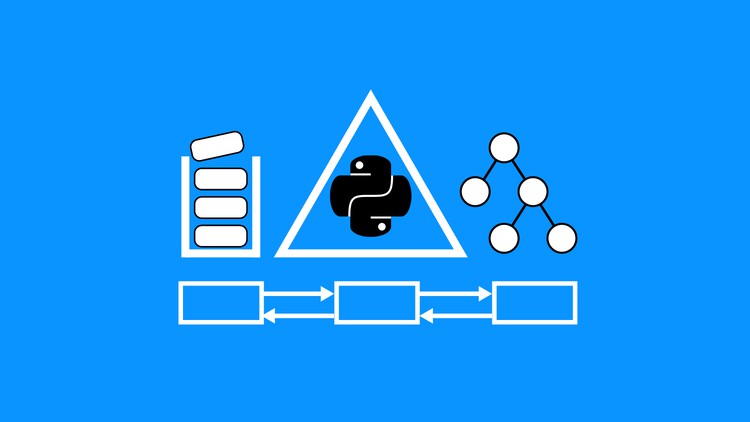
Data Structures covered in the course.
-
Singly Linked Lists
-
Doubly Linked Lists
-
Stacks
-
Queues
-
Binary Search Trees
-
Graphs
-
Computational Complexity
Algorithms
-
Reversing a linked list
-
Recursive and iterative tree traversal
-
Breadth First Search
-
Depth First Search
Analysis
-
Big O notation
Who is this course for?
Many people learn programming and are told to learn data structures and algorithms to pass coding interviews and get jobs. This course is designed for an individual who has some python programming knowledge and wants to get better at it by learning data structures. Even if you have no python experience but know some other programming language, this can be a great chance to learn python. For people who don’t know python, this provides programming problems to get better at python.
How the course is designed
The course is designed with 7 major modules. We go from installing python, to setting up jupyter notebook to understanding and implementing data structures from scratch. We also visualize computational complexity of different operations we write for these data structures in the final section on computational complexity.
What will you get out of it
-
Better understanding of data structures.
-
More tools at your disposal for solving programming problems.
-
Ability to implement data structures from scratch in python.
-
Opportunity to practice python.
-
12
 Section Introduction
 -
13
Introduction to Linked Lists
-
14
Singly Linked List Implementation
-
15
Singly Linked List: Push Method
-
16
Singly Linked List: Unshift Method
-
17
Singly Linked List: Shift Method
-
18
Singly Linked List Traversal
-
19
Singly Linked List Pop
-
20
Singly Linked List Insert
-
21
Singly Linked List Remove
-
22
Singly Linked List Reverse
-
23
Singly Linked Lists: Conclusion
-
24
Section Introduction
-
25
Doubly Linked Lists: Introduction
-
26
Doubly Linked Lists: Implementation
-
27
Doubly Linked Lists: Push Method
-
28
Doubly Linked Lists: Unshift Method
-
29
Doubly Linked Lists: Shift Method
-
30
Doubly Linked Lists: Pop Method
-
31
Doubly Linked Lists: Insert Method
-
32
Doubly Linked Lists: Remove
-
33
Doubly Linked Lists: Reverse
-
34
Doubly Linked Lists: Conclusion
-
35
Section Introduction
-
36
Binary Search Trees: Introduction
-
37
Binary Search Trees: Implementation
-
38
Binary Search Trees: Insertion Introduction
-
39
Binary Search Trees: Insertion Implementation (Iterative)
-
40
Binary Search Trees: Insertion Implementation (Recursive)
-
41
Binary Search Trees: Preorder Traversal (Part 1)
-
42
Binary Search Trees: Preorder Traversal Part 2
-
43
Binary Search Trees: Inorder Traversal
-
44
Binary Search Trees: Postorder Traversal
-
45
Binary Search Trees: Delete Explanation
-
46
Binary Search Trees: Delete Implementation
-
47
Binary Search Trees: Search
-
48
Binary Search Trees: Conclusion