Creating Weapons in Maya

- Description
- Curriculum
- FAQ
- Reviews
This course is divided into three chapters.
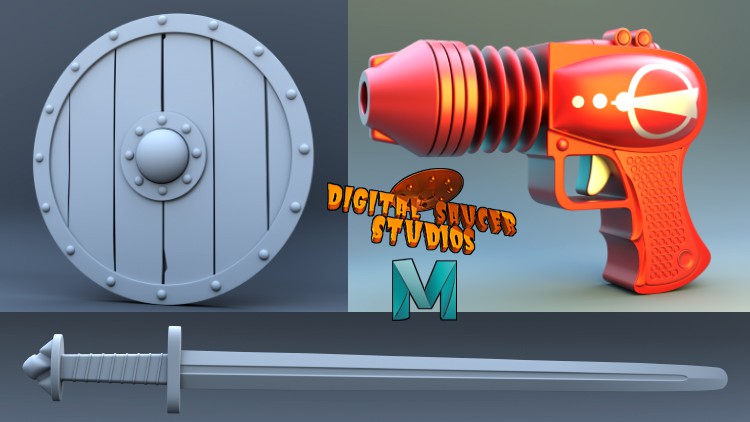
First, you will learn how to model a viking shield, then a viking sword, and finally, a ray gun.
This course will take you through some of Maya’s more common modelling tools, and will show you how to use them effectively, the options used, and how to use shortcuts.
You will understand the basic concept of 3D modelling in Maya.
This course is a step-by-step tutorial and is recorded live, so you will be taught the modelling process every step of the way.
Some of Maya’s more common modelling tools include:
- Bevel Tool
- Extrude
- Mirror
- Multi-Cut Tool
- Insert Edge Loop Tool
- Slide Edge Tool
And many more tools.
As an extra bonus, I will also teach you how to use the Arnold render to get a beautiful, professional looking render of the final ray gun model.
In Arnold, I will show you how to use the Skydome Light with a HDRI texture, which creates a realistic lighting scene.
Also, I will show you how to add extra lights to create a more appealing final render of your model.
You will also be shown how to use a displacement map, and how to texture the ray gun in Photoshop.
This course is a must for anybody wanting to be come confident in modelling in Maya.
-
2
 01. Creating a New Project
 -
3
02. Setting up the Image Plane
-
4
03. Creating the Metal Rings
-
5
04. Creating the Shield Center
-
6
05. Creating the First Plank
-
7
06. Creating the Second Plank
-
8
07. Creating the Third and Fourth Planks
-
9
08. Creating the Fifth and Sixth Planks
-
10
09. Creating the Bolts
-
11
10. Creating Thickness for the Center Part
-
12
11. Cutting Out Holes in the Planks
-
13
12. Creating Thickness for the Wood
-
14
13. Creating Thickness for the Metal Parts
-
15
14. Creating Bolts for Inside of the Shield
-
16
15. Creating the Handle 1
-
17
16. Creating the Handle 2
-
18
17. Smoothing the Metal Rings
-
19
18. Grouping the Bolts
-
20
19. Smoothing the Planks 1
-
21
20. Smoothing the Planks 2
-
22
21. Smoothing the Planks 3
-
23
22. Smoothing the Planks 4
-
24
23. Smoothing the Center Piece
-
25
24. Smoothing the Handle
-
26
25. Cleaning up the Scene
-
27
01. Setting Up the Image Plane
-
28
02. Creating the Blade 1
-
29
03. Creating the Blade 2
-
30
04. Creating the Blade 3
-
31
05. Creating the Blade 4
-
32
06. Creating the Blade 5
-
33
07. Creating the Blade 6
-
34
08. Creating the Guard 1
-
35
09. Creating the Guard 2
-
36
10. Creating the Guard 3
-
37
11. Creating the Grip 1
-
38
12. Creating the Grip 2
-
39
13. Creating the Grip 3
-
40
14. Creating the Grip 4
-
41
15. Creating the Pommel 1
-
42
16. Creating the Pommel 2
-
43
17. Creating the Pommel 3