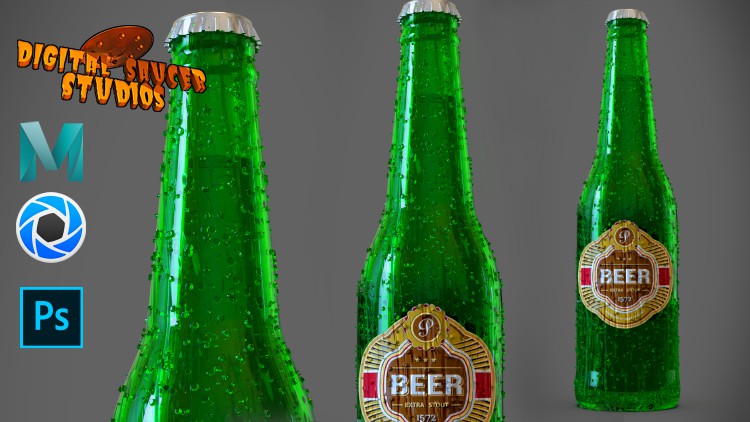
Creating a Photorealistic Render in Keyshot

- Description
- Curriculum
- FAQ
- Reviews
Creating a Photorealistic Render in Keyshot
Learn to create realistic renders in Keyshot.
First learn how to create a 3D model in Maya using Maya’s powerful modeling tools.
This course is a step-by-step process that is easy to follow.
I explain the process of creating a 3D beer bottle by showing you how to model it in Maya.
Some of the more common modeling tools you will learn are:
-
Bevel Tool
-
Multi-Cut Tool
-
Extude Tool
-
NURBS modeling tools
You will also learn the difference between modeling a low resolution mesh and how to convert it to a dense mesh using the SMOOTH TOOL.
Next, you will learn how to use Maya’s UV editing tools to create UV maps for the bottle.
I will cover the core concepts of UV mapping and how to create proper UVs
UV Mapping techniques include:
-
Projections
-
UV layout
-
Texel Density
-
Unfold UVs
Then you will learn how to export the mesh in Maya and how to import it in Keyshot.
Finally, we will go into Keyshot and learn how to use this amazing render application to create a realistic render of the beer bottle.
In the keyshot part of the course, you will learn how to use various materials and textures, labels and lighting techniques to create a beautifully rendered image. The techniques include:
-
Materials
-
HDRI Lighting
-
Material Editor
-
Material Nodes
-
Render Settings
This course is designed for students who wish to learn how to create simple models in Maya, and how to use Keyshot to render professionally looking 3D models.
-
3
 03. Creating a New Project
 -
4
04. Setting Up the Image Plane
-
5
05. Modeling Using a Cylinder Part 1
-
6
06. Modeling Using a Cylinder Part 2
-
7
07. Modeling Using a Cylinder Part 3
-
8
08. Adding Details to the Bottle Part 1
-
9
09. Adding Details to the Bottle Part 2
-
10
10. Adding Details to the Bottle Part 3
-
11
11. Creating the Bottle Hole
-
12
12. Creating Thickness Part 1
-
13
13. Creating Thickness Part 2
-
14
14. Creating Thickness Part 3
-
15
15. Creating Thickness Part 4
-
16
16. Creating the Dome on the Bottom
-
17
17. Bend Deformer
-
18
18. Creating the Bottle Cap Part 1
-
19
19. Creating the Bottle Cap Part 2
-
20
20. Creating the Bottle Cap Part 3
-
21
21. Creating the Bottle Cap Part 4
-
22
22. Positioning the Bottle Cap
-
23
23. Creating the Bottle with NURBS Part 1
-
24
24. Creating the Bottle with NURBS Part 2