Create Dynamic Table Using React Js

- Description
- Curriculum
- FAQ
- Reviews
React was released by Facebook’s web development team in 2013 as a view library. React is one of the best choices for building modern web applications. React has a slim API, a robust and evolving ecosystem and a great community.
In this course we are going to make a React project.
This project will help you get a better understanding of React JS, alongside with having a project to showcase on your portfolio.
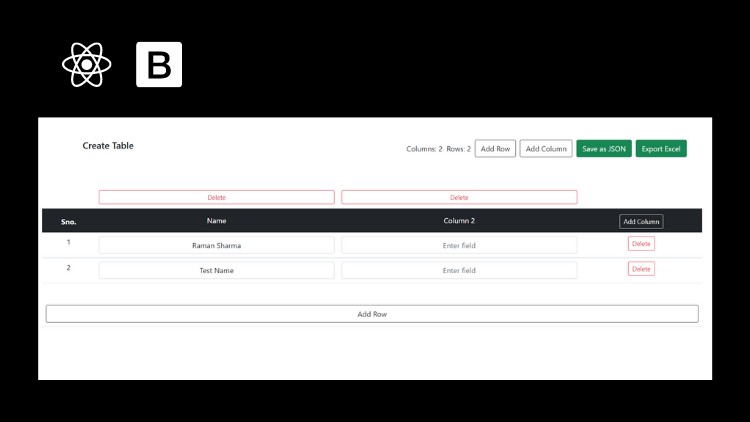
The project that we are going to make one dynamic table using React js and this will be a reuseable component that will help you ton understand the concept of re-useability, state management and more…
We will also convert state data to JSON and convert that data to excel.
User can download the both JSON and excel File which one he/she want.
Later you can easily turn this component into library.
I will explain you each line of code in this course.
This course is for everyone who is of any level. whether, he/she is beginner, intermediate or know advance react.
I built this course to help you apply your React skills. Sign up today and build an incredible app that will prove your knowledge.
see you in the course.
-
3
 Project Setup
In this video we are doing the project setup to start our project
-
4
Implement UI
In this video we will create the required UI that we need by explaining you every step and every line of code.
-
5
Create Logic
In this video we will create the main logic for our application
-
6
Convert State Data To JSON
In this video we are going to convert state data to JSON and then download JSON file
-
7
Convert State Data to Excel
In this video we are going to export data to JSON and then will convert to excel and download the file.
For this we are using export-from-json library
-
8
Project Completion
In This video we are fixing the bugs and add react-toastify to complete and finalize our project