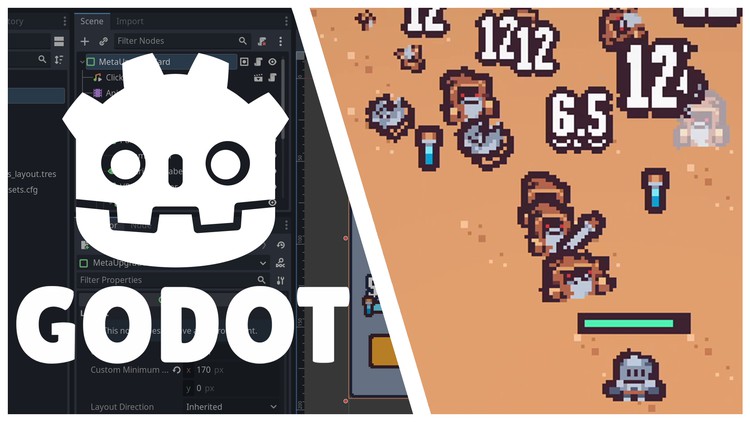
Create a Complete 2D Survivors Style Game in Godot 4

- Description
- Curriculum
- FAQ
- Reviews
This course will cover everything you need to know about creating a small 2D arena survival roguelike game from start to finish in the Godot Engine 4. This course covers many aspects of creating a survivors style game including:
-
Auto-attacking abilities
-
Hordes of enemies that increase in difficulty over time
-
Roguelike ability and player upgrades
-
Permanent progression with saving and loading
-
Levelling up by collecting experience dropped from enemies
This list is not exhaustive – please see the course outline for a glimpse into the topics that are covered.
The goal of this course is to show you how to take an empty project and turn it into a small, complete game. In doing so, this course will give you a robust exposure to many aspects of the Godot engine from input handling, to tilemaps, to saving and loading data, to audio, and more. By the time you complete this course, you will feel comfortable working on your own projects in Godot 4. You will walk away from this course with a solid foundational understanding of making games that are not only functional but also fun.
This course will help you greatly if:
-
You are ready to dive into a crash course for the newly released Godot 4
-
You have some game development knowledge and want to learn Godot 4
-
You have some programming knowledge and want to make games
-
You struggle to complete games and want to start and finish a project
-
You regularly participate in game jams and want to improve your ability to craft a fun but short experience
Please note that this course is focused purely on the start-to-finish process of making a survivors style game. As such, there is no time spent explaining fundamental programming concepts. Familiarity with programming is strongly recommended before taking this course. Any programming experience is fine – GDScript is easy to use.
Several videos are available to preview for free. Please take a look at those videos to determine if this course is right for you!
-
7
 Creating a Rat Enemy
 -
8
Creating the First Sword Ability
-
9
Introduction to AnimationPlayer
-
10
Targeting Enemies With Sword Ability
-
11
Destroying Enemies
-
12
Project Settings Tweaks
-
13
Spawning Enemies Automatically
-
14
Improving the Game Feel
-
15
Creating the Game Loop Foundation
-
16
Experience Drops
-
17
Experience Tracking
-
18
Creating a Health Component
-
19
Implementing Damage
-
20
Creating an Experience Bar
-
21
Using Custom Resources for Upgrades
-
22
Upgrade UI Groundwork
-
23
Enabling Upgrade Selection
-
24
Making the Upgrade Functional
-
25
Improving the Scene Tree Structure
-
26
Adding Player Health
-
27
Player Health Bar
-
28
Creating the Victory Screen
-
29
Creating the Defeat Screen
-
30
Increase Difficulty Over Time
-
31
Improving the TileMap
-
32
Preventing Invalid Spawning
-
33
Creating an Axe Ability
-
34
Enabling Acquisition of Axe Ability
-
35
Prevent Abilities from Being Chosen Twice
-
36
Animating the Player
-
37
Animating the Enemy
-
38
Animating Enemy Death
-
39
Adding a Wizard Enemy
-
40
Using a Weighted Table for Enemy Spawning
-
41
Animating the Wizard
-
42
Animating the Experience Vial Pickups
-
43
Adding a Custom Font
-
44
Adding Floating Damage Text
-
45
Implementing a Flash on Enemy Hit
-
46
Adding Ability Damage Upgrades
-
47
Introduction to UI Theming
-
48
Finalizing Upgrade Card Theme
-
49
Animating the Upgrade Card
-
50
Improving the Upgrade Selection Screen
-
51
Applying a Style to the Experience Bar
-
52
Animating Victory and Defeat Screens
-
53
Applying Styles to the Buttons
-
54
Creating a Player Move Speed Upgrade
-
55
Adding a Vignette