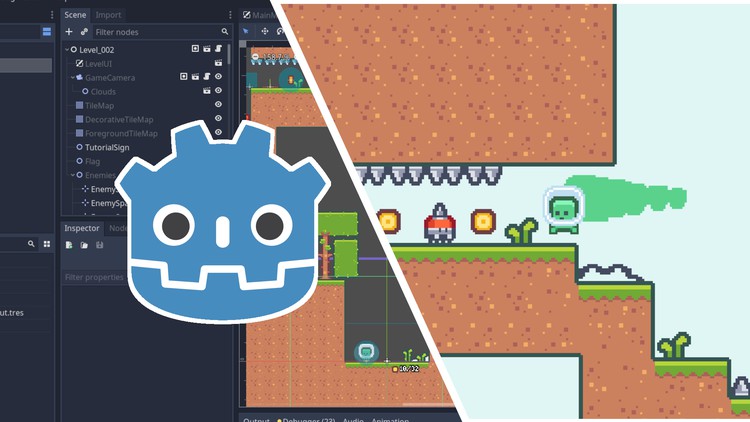
Create a Complete 2D Platformer in the Godot Engine

- Description
- Curriculum
- FAQ
- Reviews
This course will cover everything you need to know about creating a small 2D platformer from start to finish in the Godot Engine. This course covers all aspects of creating a complete platformer game in Godot including:
-
Game mechanics like player movement, collectibles, and basic combat
-
Hazards like spikes and enemies
-
A seamless game loop and transitions between levels
-
Scene structure and project organization
-
Sound effects
-
A main menu, pause menu, options menu, and other UI elements
-
Finishing touches like camera shake, basic shaders, particle effects, and UI animations
This list is not exhaustive – please see the course outline for a glimpse into the topics that are covered.
The goal of this course is to show you how to take an empty project and turn it into a small, complete game. In doing so, this course will expose you to many aspects of the Godot engine from input handling, to tilemaps, to particles, to audio, and more. By the time you complete this course, you will feel comfortable working on your own projects in Godot. You will walk away from this course with a solid foundational understanding of making games that are not only functional but also fun.
This course will help you greatly if:
-
You have some game development knowledge and want to learn Godot
-
You have some programming knowledge and want to make games
-
Your games feel sterile and lack polish
-
You struggle to complete games and want to start and finish a project
-
You regularly participate in game jams and want to improve your ability to craft a fun but short experience
Please note that this course is focused purely on the start-to-finish process of making a game. As such, there isn’t any time spent explaining fundamental programming concepts. Familiarity with programming is strongly recommended before taking this course. Any programming experience is fine – GDScript is easy to use.
-
8
 Camera Follow
 -
9
Animating the Player
-
10
Coyote Time
-
11
Double Jump
-
12
Adding Collectables
-
13
Adding Spikes
-
14
Player Death and Respawn
-
15
Creating an Enemy
-
16
Making the Enemy Dangerous
-
17
Adding Player Dash Movement
-
18
Making the Player Dash Destroy Enemies
-
19
Making a Test Level
-
20
More Player Tweaks
-
21
Win Condition
-
22
Section Introduction
-
23
Preventing Player Void Death
-
24
Coin Counter
-
25
Level UI
Font is BitPotion by Joeb Rogers https://joebrogers.itch.io/bitpotion
-
26
Level UI Continued
-
27
Enemy Respawns
-
28
Changing Levels
-
29
Level Complete UI
-
30
Level Complete UI Continued
-
31
Fixing Scene Load and Font Height
-
32
Camera Shake
-
33
Triggering Camera Shake
-
34
Player Death Animation Part 1
-
35
Player Death Animation Part 2
-
36
Player Death Animation Part 3
-
37
Enemy Death Animation
-
38
Enemy Spawn Animation
-
39
Player Dash Trail
-
40
Footstep Particles
-
41
Adding Tile Variety
-
42
Clouds
-
43
Creating More Levels
-
44
Animated Button
-
45
Main Menu
-
46
Screen Transitions
-
47
Pause Menu
-
48
Animating UI Panels
-
49
Game Complete Screen
-
50
Options Menu
-
51
Tutorial Signs
-
52
Player Victory Animation
-
53
Extending the Level Complete Screen
-
54
Mouse Cursor
-
55
Final Player and Display Tweaks