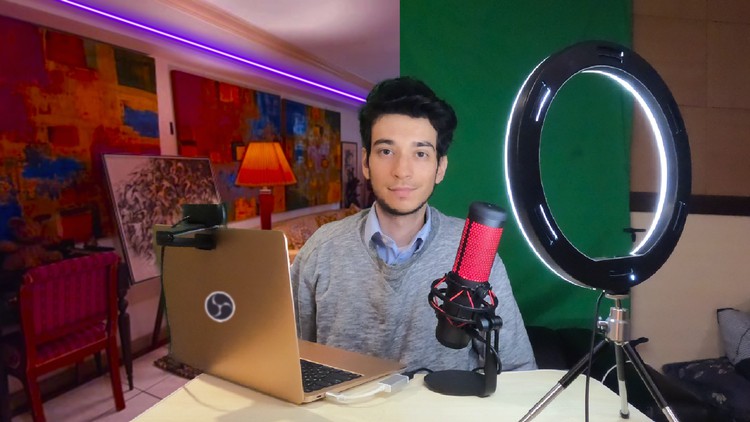
Course Creation, YouTube, Tutorials, Zoom, and More with OBS

- Description
- Curriculum
- FAQ
- Reviews
This course will give you a unique, behind-the-scenes view, with the secret formula of the software that I use to create my own courses.
In this course, we will use OBS (Open Broadcaster Software) Studio to make amazing videos that you can use to create online courses, YouTube channels, video tutorials, and more.
You will also learn you can also dramatically increase the quality of your online teaching courses, as well as your work-from-home or other business video conferences by combining OBS Studio together with zoom or any other video communications software.
This course covers everything you need to set up OBS Studio with the best settings.
It will teach you how to:
-
Set up and improve your microphone settings, as well as removing any background noise
-
Add PowerPoint presentations, web browser views, and more into your videos
-
Use your smartphone as a webcam
-
Add a green screen effect and create amazing backgrounds
-
Make videos for different size devices including vertical smartphone format
-
Connect OBS to zoom and other video communications software for dramatically improving your conference quality
This course also covers simple and easy video editing techniques that you can use for polishing your videos after recording, as well as how to create a YouTube channel and design the thumbnails, profile, and banner images for your videos.
-
6
 Install Stream FX
 -
7
Best Microphone Settings
-
8
Synchronizing Audio
-
9
Adding Filters and Cropping
-
10
Scene Transitions
-
11
Display and Window Capture
-
12
Designing a Presentation with PPT and Canva
-
13
Adding Text, Images, and Videos
-
14
Using Hotkeys
-
15
Adding a Scene inside a Source (Nested Scenes)
-
16
Using a Smartphone as a Webcam
-
17
Add a Green Screen
-
18
Improving your Green Screen Background
-
19
Adding a Green Screen to a PPT
-
20
Add Rounded Corners to your Webcam
-
21
Profiles and Scene Collections
-
22
Rearranging the New Profile and Scenes
-
23
Adding Vertical PPTs into Videos
-
24
Adding Desktop Audio to OBS
-
25
Studio Mode