Complete Curse of Blender version 2.93

- Description
- Curriculum
- FAQ
- Reviews
In this course, I will teach you the complete process of creating a professional full body character that is ready for movies or for game cinematic.
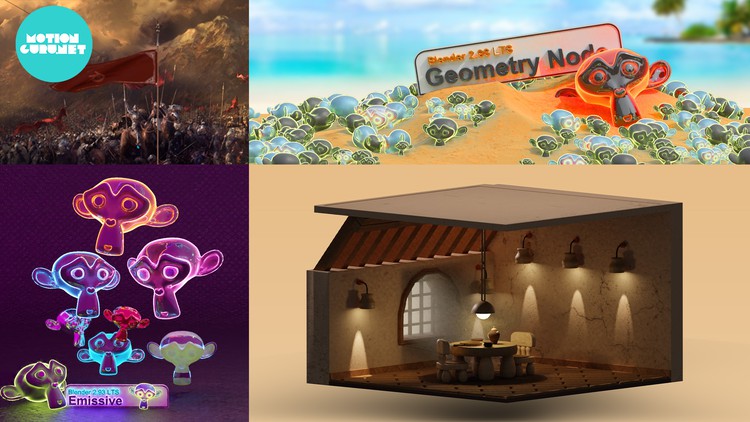
This course is for beginners and intermediate artists so before you dive into this, make sure that you have at least a basic understanding of Blender. We start by introducing the blender interface and we explain all the properties then we go into the edit mode and explain the basic modeling tools such as extrude, bevel, loop cut, spin and more. After that we start modeling a small 3D interior. By this example we go through the most useful Technique for modeling, lighting, volumetric light, shading and more to make our scene very great looking interior. As well we cover topics like Modifiers , particle system, making material & texture to our model in Shading, using Node Wrangler, UV Editing, UV Unwrap, how to add Mark seam, apply different material to one model, Link-Transfer Data to Apply one material to multiple Object and more. The for the lighting we use a HDRI and we go through the Easy HDRI add-on & Emissive to the lamp, adding lights and HDRI to our scene, image as Plane add-on & take render a still image, adjusting our scene’s light to a night scene part 1, God rays or volumetric lights the we are correcting the forgotten parts and Final corrections for rendering at the end Render setting to make a final render
After that we take another example to explain the cloth in blender. We make a flag and animate it using Cloth simulation and wind force field. In the next part of simulation, we discus about the Wind setting and we make a ball animation using Rigid Body. Later on, we explain an easy way about the emissive and how important is that for lighting scene. So, we make Emission material, Blender title and some Susan’s head and we apply different emission on those. Finally, Geometry node which is very power full and very cool node system in blender which allow you to make better result the particle system. We will go through it and make a small monkeys Beach using geometry nodes of blender 2.93
So, if you are looking to create professional scene that is 100% made in Blender, then this course is for you.

-
13
 Understanding the basic of Edit Mode part 1
 -
14
Understanding the basic of Edit Mode part 2
-
15
Curves
-
16
Starting modeling the table using modifiers and cuvres
-
17
Modeling the chair - apply transform - part 1
-
18
Modeling the chair - using the Lattice - part 2
-
19
Make the wall and the floor
-
20
How to make the ceiling
-
21
Make a middle east window and floor carpet
-
22
Make a plate
-
23
Making a Pan & fix the Face Orientation
-
24
making a Ceiling lamp using solidify modifier
-
25
Modeling a Teapot using Curves and Screw modifier
-
26
Setting brick around our window using array & curve modifiers
-
31
Easy HDRI add-on & Emissive to the lamp
-
32
Adding lights and HDRI to our scene
-
33
Image as Plane add-on & take render an still image
-
34
Adjusting our scenes light to a night scene
-
35
God rays or volumetric lights
-
36
Correcting the forgotten
-
37
Final corrections for renderig
-
38
Render setting to make a final render