Build your own Automated Dustbin using Raspberry Pi 2023

- Description
- Curriculum
- FAQ
- Reviews
Don’t let errors hold you back! Our dedicated technical support team is here to assist you every step of the way. Whether you have a question or concern, simply post in the Question and Answer section and one of our experts will get back to you within 24 hours. They are available from Monday to Saturday, ensuring you complete satisfaction for all the errors you encounter.
Apart from that, your money is 100% safe as the course comes with a 30-days, no-questions-asked Money Back Guarantee. For any reason, if you are not happy with the course, the entire amount will be refunded back to your bank account.
So at the end of the day, you have nothing to lose. Enroll in the course with confidence and complete peace of mind and take your technical skills to the next level.
Hello Everyone, I would like to introduce you to a brand new online course where you can learn to build an automated smart dustbin from scratch. I have always been a firm believer in learning by doing and in this course, you will learn what you need to know by hands-on experience. You don’t need any special knowledge except basic computer skills to get started with the course. Every one of you comes from a different background and hence; the course is crafted from basic to advanced level with minute details in every lecture.
The course is divided into 6 sections. In the first section, you will learn about the project concept and the working principle of the HCSR04 distance measurement sensor.
In the second section, we will understand in detail about the circuit diagram which will help us to establish the connection between the Raspberry Pi and the distance measurement module, once we are done with this we will go ahead and explore the program which will help us to test whether the module we have purchased online or from the local market actually works or not.
In the third section, we will get to know about the working principle and the inside mechanism of the servo motor. We will learn what is pulse width modulation and how this technique is implemented in programming. Going ahead we will also understand how the servo motor is connected with the Raspberry Pi and what are the power requirements to operate the same.
The fourth section begins with the coding phase where we will first learn how we can achieve zero degrees and 180 degrees by supplying the required duty cycles. Once this result is achieved, we will then implement the mathematical formula through which we can derive the required duty cycle to achieve any user choice angle.
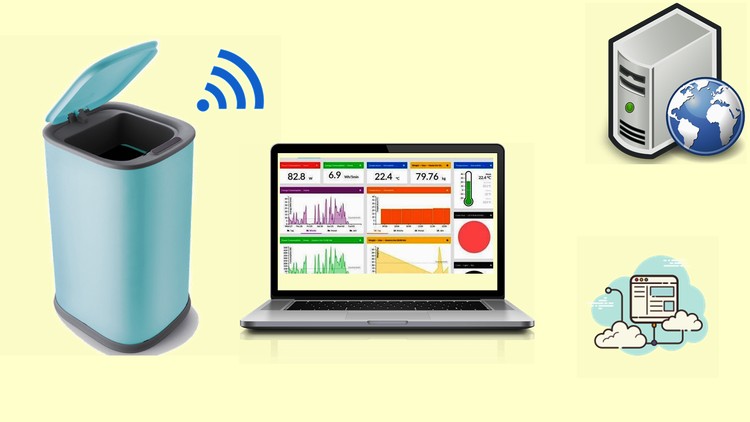
In the fifth section, you will come to know how IoT is the game-changer. We will learn how we can design our own dashboard and analyze the data in real-time from anywhere. We will then practically test this by implementing a basic program and checking how data is being sent to the backend server and displayed in real-time on the dashboard.
The sixth section exposes you to the final phase where you will understand the main program of the automated dustbin. The program includes all the activities that have to be carried out for the dustbin to work. Apart from this it also includes the IoT section which is responsible for carrying out the data to the backend server.
Please note that the project covered in the course will work on any version of the Raspberry Pi.
All the lectures contain English subtitles for clear and better understanding. If you face any technical issues, please post your query in the question and answer section and I will get back to you within 1 business day.
At the end of the course, you will have a solid foundation on servo motor, distance sensor, IoT dashboard implementation, etc. So apart from building this project, you will also find it easy to build any other project of your choice.
-
3
 Hardware Requirements
The lecture contains the complete list of hardware required to complete the course.
-
4
 Understanding Circuit Diagram - Distance measurement
This lecture contains the circuit diagram which will help to connect the Raspberry Pi with the distance measurement sensor.
-
5
Circuit Diagram - Distance Measurement - Breadboard based
This lecture contains the breadboard based circuit diagram to connect the distance measurement sensor with the Raspberry Pi.
-
6
Circuit Diagram - Distance Measurement - Direct Connection
The lecture contains the circuit diagram which shows the direct way to connect the distance measurement sensor with the Pi.
-
7
Understanding the code - Distance Measurement - Part 1
This is the first section of the distance measurement code which explains how to define the variables and use the try-catch concept in the program.
-
8
Understanding the code - Distance measurement - Part 2
This is the second section of the distance measurement code which teaches the mathematical formula to be implemented to calculate distance.
-
9
Complete Source code - Distance Measurement
Thie lecture contains the complete error-free source code to test the distance measurement using Raspberry Pi and the HCSR04.
-
10
Real time Demonstration - Distance Measurement
The lecture contains real-time working of the distance measurement sensor. The code has been executed and the output has been recorded at the same time.
-
11
Understanding the servo motor
This lecture demonstrates what a servo motor is and what are its applications in the various field of electronics.
-
12
Working Mechanism of the Servo Motor
This lecture explains the working mechanism of the servo motor and how it is controlled using pulse width modulation.
-
13
Understanding Circuit Diagram - Servo Motor connection
The lecture contains a detailed explanation of the servo motor connection with the Raspberry Pi and also the power requirements to operate the same.
-
14
Circuit Diagram - Servo Motor Connection with Raspberry Pi
This lecture explains the circuit diagram which helps to establish the connection between the Raspberry Pi and the servo motor. This test is important before you actually go for the final project implementation.
-
15
Adding handle to servo motor control horn
In this lecture, you will understand how we can add a thin handle to the servo motor which will be further used to lift the lid of the dustbin.
-
16
Finding proper position Part 1
This lecture teaches how we can use the hit and trial method to get the maximum left and maximum right position and then after applying certain values we get the desired duty-cycle for zero degree and 180 degrees.
-
17
Finding proper position Part 2
This is the continuation of the previous lecture where we will learn about the duty cycles to be implemented to reach the desired angles Zero degree and 180 degrees.
-
18
Source code - Finding proper position
This lecture contains the error-free source code which will help you to find the proper duty cycles to reach zero degree and 180 degrees.
-
19
Real Time Demonstration - Finding proper position
This lecture demonstrates the real-time footage which was captured parallel to the program execution. Here you will notice that how the correct duty cycles moved the servo to the desired zero and 180 degrees.
-
20
Moving servo to desired angle
In this lecture, you will go through the program, which teaches how we can use the mathematical formula to derive the required duty cycles and move the servo to the desired angles.
-
21
Source code - Moving servo to desired angle
This lecture contains the error-free source code which will help you to move the servo to the desired angle.
-
22
Real time Demonstration - Moving servo to desired angle
This lecture contains real-time footage and working of the servo motor, you will notice the servo moving to the desired angle.
-
23
Understanding IoT & the platform used
In this lecture, we will understand in detail about the Internet of Things and what are its applications. We will also come to know about the IoT dashboard and what benefits we have using the same dashboard.
-
24
IoT Dashboard Account creation and testing Part 1
In this lecture, you will learn how to design the IoT dashboard and install the dashboard application on the Pi. Before implementing the project we will also test with a basic program how the dashboard actually works and how Pi sends the data in realtime to the back-end server.
-
25
IoT Dashboard Account creation and testing Part 2
This is the continuation of the program which will help us to establish a connection with the online dashboard and test the working of the same.
-
26
Source Code - IoT Dashboard Testing
This lecture contains the error-free source code of the IoT dashboard testing program which will help you to test the working of the IoT dashboard, this is a basic program and hence it will be easy for you to understand the working principle.
-
27
Real time Demonstration - IoT Dashboard Test
The lecture shows the real-time footage of the working of the IoT dashboard. You will notice how the program sends the generated data to the backend server and it is displayed on the dashboard in real-time.