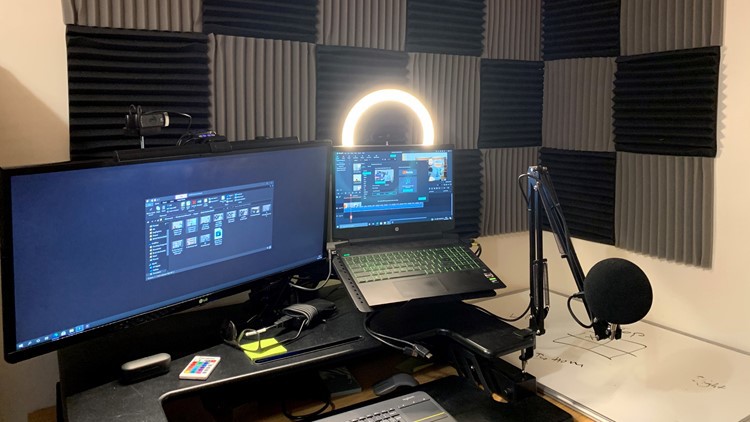
Build a spare room studio for rapid video and audio creation

- Description
- Curriculum
- FAQ
- Reviews
Are you trying to create higher quality videos, podcasts, screencasts, or even record your own courses? Nothing gets you to the next level like having your own always connected spare room studio.
In this course, you can follow me as I build my spare room studio with a desk-sized footprint! The studio doubles as a home office space allowing me to switch between work and side hustle roles in seconds.
I already had several webcams and microphones, so come with me and see how I decide which ones to use and why. I share my practical examples so you. can make an informed decision in your studio
-
3
 Sound Absorbing Panels
How I installed sound-absorbing panels
-
4
Height Adjustable Desk
Why I chose to use a height-adjustable desk
-
5
Monitor Riser
Monitor riser and some modifications
-
6
KVM Switch
Easily switch between computers
-
7
Webcams
Webcams I have used for my multi-camera set up
-
8
Microphones
Choosing the best option for my microphone
-
9
Desk General - Keyboard and chair
Extra information not covered in other sections