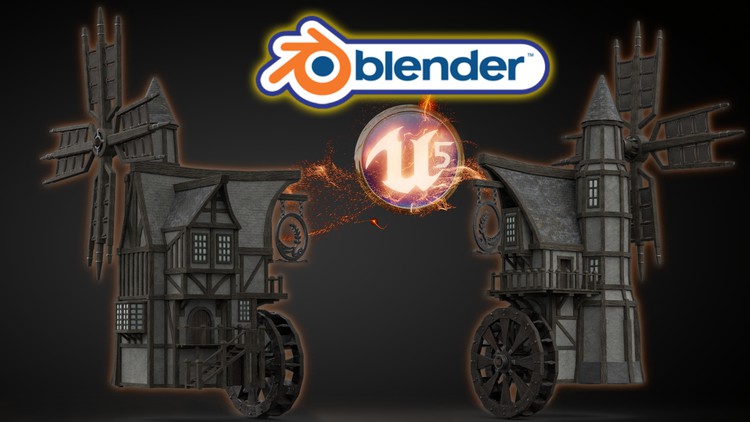
Blender to Unreal Engine 5

- Description
- Curriculum
- FAQ
- Reviews
Course Description
Would you like to learn how to model a windmill reminiscent of medieval times and breathe life into that fantasy by importing it into a game engine?
Now, what if I told you I have a course to do just that on Udemy?
‘Blender to Unreal Engine 5’ will see you creating an intricate medieval asset requiring mechanical knowledge full of life through 3D animation.
This course will give you access to just over 21 hours of 3D art.
Learn how to build an intricate medieval windmill and watermill hybrid in 107 lessons.
This course will see you learn all the techniques pros use and how they use them. Unreal Engine integration will also be a central part of this course’s learning objectives.
Through reading this course description you will find out:
– What you want to learn about 3D modelling;
– What you are going to get through ‘Blender to Unreal Engine 5’, and;
– How the course will take your 3D skills to the next level.
Modeling
This course will be your complete pathway from concept to game engine in a way that we haven’t done before.
Our 3D modelling focus will be on creating realistic and fully functional subcomponents for our windmill. This will include an intricate set of wooden supports, balconies, stairs, a water wheel, and windmill arms.
We will be using curves to create a special type of wooden support as well as for our medieval windmill door handles. Although looking at curves is not an integral part of this course, it is important for 3D modelling and this will be another feather in your cap of available features within Blender.
Near the end of the course, you will be creating a base for our medieval windmill model to sit on for an ideal portfolio shot.
Texturing and Materials
All in all, ‘Blender to Unreal Engine 5’ will provide you with intensive learning all in one place, giving you access to over 100 2k and 4k texture maps. This course will also teach you the basics of making your own materials using these textures.
Every single texture pack also has its own Unreal Engine 5 (UE5) version, making this a valuable part of the course. One of the biggest ‘Blender to Unreal Engine 5’ course highlights will include importing textures and learning how to fully utilize them within UE5.
‘Blender to Unreal Engine 5’ will teach you all about the gamma, hue, saturation, and some world Blender nodes.
Animation
We will be working on making all motion effects hyper-real because animation is integral to this ‘Blender to Unreal Engine 5’ course.
You will learn how to use keyframes to key in different animations to the parts we want to animate. These will include our medieval windmill’s water wheel, windmill arms, and windmill sign.
As part of the rigging process, you will learn how to weight the different parts to the bones to add realism to your animation.
Finally, using Blender’s in-built dope sheet and animation system, you will be able to export a fully working windmill to any games engine of your choice, including Unity, if you prefer.
Lighting & Rendering
By joining ‘Blender to Unreal Engine 5’, you will also learn how to take control of your scene’s aesthetics through an HDRI system for lighting.
For a full introduction to lighting 3D scenes, we will also cover all in-built Blender lighting functionalities.
We will also be creating a portfolio render for any multimedia site you wish to upload your completed model to. Trust me when I say that this model will not only look professional but will actually pop up amongst thousands of other models.
‘Blender to Unreal Engine 5’ is a complete guide into using Eevee for lighting, rendering, shadows, exposure, and color management.
Rendering in Blender’s Cycles renderer will be discussed as well. We will also be looking at ambient occlusion and bloom within Eevee and Cycles, allowing you to choose the Blender renderer that is best for you.
If you thought the medieval inn was good, then this medieval windmill will take you to the next level of 3D modelling AAA assets.
Unreal Engine 5: Game Engine Integration
We will be taking a deep dive into Epic’s all-new Unreal Engine 5. Do not worry if you have not managed to download it and are still working with UE4 because everything you will learn in this section can be used in both.
Through ‘Blender to Unreal Engine 5’ you will be learning everything right from importing animations from Blender to having them work correctly in UE5. Through this course, you will learn the basics of bringing your game’s asset to life, rendered in real-time.
We will look at how to import and use textures created specifically for Unreal Engine and use them to create the materials for our medieval windmill game asset. ‘Blender to Unreal Engine 5’ will also be an introduction to how to set up files to create a clean UI. The skills you learn here are fully transferable to all of your future builds.
Course Resources & Freebies
The ‘Blender to Unreal Engine 5’ course resource pack over 100 2k and 4k texture maps with UE5 versions of each file.
The best course navigation tool for ‘Blender to Unreal Engine 5’ will be included. The course handbook will give the control back to you and you will be able to fully streamline your learning process to your needs and wants seamlessly.
Join this course and come be part of a 3D modeling journey of over 21 hours of learning.
Check out the free introduction and I am sure you won’t be able to put this course down!
Still unsure? Then, let me tell you what’s unique about this course:
– 3D modeling from a beginner level right up to techniques used by professionals around the world in many top games companies;
– animating a structurally accurate medieval water wheel;
– animating medieval windmill arms;
– creating metal signs for buildings using SVGs;
– learning how to use HDRI lighting;
– animations & key commands throughout the learning process;
– – accessing 3 courses within a course, including full lessons on (a) Blender basics, (b) materials and textures, and (c) seams, sharps, and UVs.
Let’s rebuild our medieval fantasy of a windmill and picture ourselves next to a serene body of water at sunset.
What a perfect virtual escape during these challenging times…
Until next time, happy modelling everyone!
Neil – 3D Tudor
-
1
 Introduction Blender to Unreal Engine 5
This lesson is an introduction to the ‘Blender to Unreal Engine 5’ course. Alongside high-definition renders of the medieval windmill, you will also be finding out about all the different course sub-components we will be going through. This introduction will also introduce you to the course layout and on-screen tooltips.
-
2
Getting the Basics Right
In this lesson, you will be getting a brief introduction to the basics of Blender. Getting the Blender basics right will be essential to your ‘Blender to Unreal Engine 5’ learning process, making this a short course within a course.
-
4
Starting the Windmill Greybox
This lesson will be the beginning of the ‘Blender to Unreal Engine 5’ course modelling process. We will start by 3D modelling the greybox of our medieval windmill.
-
5
What are Seams & Sharps
In this lesson, we will be discussing the basics of sharps and seams and their meaning for 3D modeling. Like lesson 2, this will be a short course within a course providing you with fundamental knowledge for your learning going forward.
-
6
Being Careful with Extrude
In lesson 6, we will be looking into functions such as extrude and merge to create our simple greybox in the least amount of time.
-
7
Dimensions and Grounding our Greybox
This lesson will see us ensuring that the dimensions of our medieval windmill are correct. In other words, we will be ensuring that the height and width of the building and all sub-components are realistic overall and in proportion to one another.
-
8
Finishing the Grey box
In this lesson, we will be completing the grey box model for our medieval windmill game asset.
-
9
The Importance of Resetting Transformations
In lesson 9, We look at one of the biggest issues in Blender. Simply put if something is not working, resetting your transformations should be the first point of calll. But why ?
-
10
Working with Textures & Nodes
This lesson will be another short course within ‘Blender to Unreal Engine 5’. You will be learning all about materials and maps for 3D modeling, helping you realize the potential of your 3D game assets and props.
-
11
Creating our First Material
In this lesson, we will be creating the first material for our medieval windmill. This will be a dark and murky wood material for all the building details.
-
12
Working with Booleans
In lesson 12, We need a whole for our windmill arm. The easiest way to achive this is by using the boolean modifier but this does bring a lot of issues on its own.
-
13
Solidifying 2D Planes
This lesson we will be looking at why sometimes modifiers don’t work. This is mostly down to making sure our normals are facing the correct way.
-
14
A Creative Way to Create Wooden Supports
In this lesson you will be finding our about how to create wooden supports for 3D assets in Blender in a creative way. Sometimes the angle just isnt correct and we need a way to make sure the angle is exactly what we need.
-
15
Working with Different Transforms
Lesson 15 we take a look at the transfomation orientation menu options within Blender. This is another tool to help with angles of meshes that need transforming in some way.
-
16
Creating Realistic Wood Joints
This lesson will show you how to make wood joints look realistic. This is a common issue with wood materials in 3D modeling. There is a simple checkbox that you should go through everytime that we cover in this lesson.
-
17
Creating Unique UVs the Easy Way
In this lesson, you will be learning all about how to create unique UVs easily within Blender. Unique UVs are important because we don’t want our model or our wood looking the same. Here I show you a very simple technique to eliminate this problem.
-
18
HDRI & The Eevee Renderer
Lesson 18 will introduce you to the Eeevee Blender renderer. Eevee replaced Cycles renderer in Blender 2.8, and this lesson will be an introduction to using it. You will also find out about how to use HDRIs as backgrounds for your 3D models such as this medieval windmill.
-
19
Working with Stone
This lesson will see us working with the stone material for our ‘Blender to Unreal Engine 5’ medieval windmill. You will be learning about how to position it to make it look realistic. Stone will generally accent the lower parts of the windmill, acting as the building’s foundation.
-
20
Altering Shaders in Blender
In this lesson, We look at an amazing node called the gamma node. This then gives us the ability to alter brightness of shaders on the fly and change the appearance of the textures we have created outside Blender.
-
21
Creating Windows & Projecting UVs
Lesson 21 will introduce you to making 3D windows for medieval-styled buildings. You will also be learning about how to project UVs.
-
22
Lead & Pane Creation
This lesson will see you working with lead materials that will allow our medieval windmill window panes. You will also be creating the window pane to start with.
-
23
Applying Glass to our Windows
In this lesson, you will be learning how to apply glass to window panes.
-
24
Planning out the Windmill Arms
Lesson 24 is all about pre-planning. When working on a complex asset like the windmill it is important to plan way ahead as this will have an impact further down the line. In this lesson we need to work out how and where the arms of the windmill will go.
-
25
Laying out the Arm Struts
Now we have worked out just where the arms will go its time to lay out a simple greybox that we can build around. This is an important part of 3D modeling as it will save you a ton of time in the future.
-
26
Windmill Arms Prep for Materials
In this lesson, we will be preparing our medieval windmill arms to apply materials to them. We will use the techniques we have learned so far. This will include marking seams for adding materials.
-
27
Working with Cloth & Proportional Editing
Lesson 27 covers cloth. Now I do know Blender has its own cloth simulater but there are also very simple techniques to create the look of cloth. Because our windmill arms need only small pieces of cloth we decide to take the latter route.
-
28
The Amazing Torus
This lesson we look at the Blender primitive the torus. This is quite simply one of the most usefull primitives when it comes to something a little more comples than a cube and allows a vast array of uses like for instance chain.
-
29
Creating Realistic Cloth Sail Mesh
In this lesson, you will be learning how to best create a mesh for cloth sails. These cloth sails will adorn the windmill arms of our structure. Our aim is for the cloth to look as if it was tightly strung.
-
30
Creating Holes and Links
Lesson 30 will see us creating holes and links to bind our medieval windmill arm cloth pieces together. We could go down the route of using maps to create the look of holes in mesh. I decided though it will be a better learning process if the holes were real.
-
31
Working with Mirrors
This lesson will see us learning how to work with mirrors in Blender. You will find out how to create copies of the same 3D asset quickly and easily.
-
32
Engineering the Turning Mechanism
In this lesson, We look at not only creating the turning mechanism but making it realistic. One of the key questions you should ask yourself when creating something is, is it realistic and is it structurally sound. Another words would it work in real life.
-
33
What is Structurally Sound
Lesson 33 will cover how to make sure a 3D building is structurally sound from an architectural point of view. Our medieval windmill will be a good example of that because of its complex sub-structures and levels, helping you apply this learning to various other contexts.
-
34
Testing Complex Seems
Its always good to find out if you have a good understanding of how seams work. This lesson we do just that. We mark many seams for the turner before finding out if we marked them in the correct places for a perfect unwrap.
-
35
Finishing the Windmill Arms
In this lesson, we will be completing the build of our medieval windmill’s windmill arms.
-
36
Starting the Main Roof
Lesson 36 will see us begin work on creating our medieval windmill roof.
-
37
Creating the Wooden Sloping Supports
This lesson will show you how to create slopping supports for irregular roofs. Its an important lesson and can be frustrating if you don’t know the correct workflow. Not only does this technique save time but it also looks great.
-
38
Adding Materials to the Main Roof
In this lesson, we will be adding materials to the main roof of our medieval windmill.
-
39
Realism with Roof Tiles
Lesson 39 will show you how to get roof tiles to look individually variant using Blender techniques. In this way, we will be learning how to achieve realism with the materials of a 3D model.
-
40
Lots of Supports Needed
This lesson will focus again on the structure of buildings. We take a deep look at what exactly we are going to need to support our large roof before comitting to creating meshes. Another words take a step back before jumping in.
-
41
Fixing Mesh Issues along the Way
In this lesson, we will be practicing essential troubleshooting techniques for 3D modelling. Our focus will be on fixing various mesh issues that might emerge.
-
42
Finishing the Main Small Support Mesh
Lesson 42 we finish creating the supports and take a look to be sure again does it look right and always the biggest question does it work. It’s a good idea to do this along with the mesh preparation before adding modifiers.
-
43
Finish the Main Roof
This lesson will see us completing the main roof of our ‘Blender to Unreal Engine 5’ medieval windmill.
-
44
Taking Stock of How to Create Something
At this point in the course, you should now be able to look at most models and think about ways of how to create that model. Another word starting to take a more professional view of modeling.
-
45
Working on our Smaller Roof
In this lesson, we will be working on our smaller roof for our medieval windmill.
-
46
Finishing our Small Roof
This lesson will see us completing the 3D modeling and texturing process for our medieval windmill’s small roof.
-
47
Refining the Greybox
Lesson 47 will see us refining our ‘Blender to Unreal Engine 5’ medieval windmill greybox through a troubleshooting process. I always like to check the greybox periodically through the build this is important on complex builds to make sure it will all come together.
-
48
Working the SVGs
In this lesson, you will be going over a complete introduction into working with SVGs. We will be using SVGs to create the metal sign for our medieval windmill, enclosing a stalk of grain within a circle.
-
49
Converting Curves to Mesh
This lesson will focus on turning the curve mesh which is actually not mesh at this point into actual topology. Although this sounds simple if you just use the blender default options you will not only be dissapointed but also end up with a lot of useless overblown polygons.
-
50
Finishing the Sign
Lesson 50 will be the final lesson on modeling the essential components of our medieval windmill wall sign.
-
51
Creating the Sign Links
In this lesson, we will be attaching our medieval windmill wall sign to our windmill using metal chain links.
-
52
Medieval Atmosphere with Wood
This lesson will focus on the asthetics of what it is that makes a building look medieval or roman as an example. Its important to reference how the paticuler time period put building together to understand the composition of the buildings.
-
53
Creating the Main Door Placeholder
Lesson 53 will focus on place holders. This is a little like greyboxing but is for the smaller details of the build. We can then check to see exactly what works or doesn’t.
-
54
Creating a Door Alcove
In this lesson, we will be learning how to create a door alcove for 3D game models using Blender functionalities.
-
55
Speeding up our Workflow
At this point of the course we can really start to ramp up the speed of not only building meshes but our entire workflow. I show you what I have found to be the quickest workflow for creating buildings from this era which has been my main focus for the past 6 years.
-
56
Creating the Small Window Extension
Lesson 56 will see us working on a wooden extension that will be placed on the exterior of the second level of our medieval windmill.
-
57
Working out our Walkway Placement
In this lesson, We look at laying down the groundwork for our main walkway. This should always be done with such an important and integral part of the model. A few questions need answering always when taking this on. Does it work and does it fit for example?
-
58
Finishing the Window Extension
This lesson will see our complete work on modeling our window extension of our medieval windmill.
-
59
Working with Complex Meshes
Windows can be as simple or as complex as you want them to be. Always remember the more complex the mesh is the more complex the preparation so don’t run before you can walk like I did a long time ago and ended up with a lot of bad topology and seams.
-
60
Realistic Support for our Extension
In this lesson, we will be building wooden supports for our window extension. These are essential to the structural integrity and relative realism of our medieval windmill.
-
61
Increasing Efficiency in Modelling
The title of this lesson is a little vague. It basically means when and where should we reuse meshes to speed up workflow. This is where you should now be learning to forward think about every aspect of 3D modeling.
-
62
How to use Edge Length
For those engineers out there who have to work to tolerances when creating builds, we take a look at how to show edge lengths of meshes. This is so sophisticated in Blender you could actually create surgical precision meshes once you know this is available.
-
63
Increasing the Complexity
As we work through the course I really like to add new ways or make meshes more complex. Not only does it stop the lessons from becoming a little stale but it also increases your skills in 3D. Another word I have tried to build within the course a skill arc.
-
64
Using Average Island Scale
This lesson, will focus on uv mapping. There are lots of options here to make applying materials a much smoother process but again its more a case of knowing what can be done. If you learn these simple techniques then it will set you up well for future builds.
-
65
Creating the Balcony
Lesson 65 will see us creating the balcony for our window extension using wooden railings.
-
66
Creating the Balcony Supports
In this lesson, We look at perhaps the most complex part of the build at least from an engineering standpoint. Not only does our balcony have to fit the era but it also has to be supported in a realist way that again fits the era. No steel supports in this build I'm afraid.
-
67
Easy Ways to Fix Mesh Problems
This lesson will see you troubleshooting within Blender once more. We will be discussing easy ways to fix mesh problems based on the learning content we have encountered.
-
68
Starting our Water Wheel Build
Lesson 68 will be all about pre-planning our water wheel. This sounds easy but it's actually fairly in-depth. The main part of most meshes is the very first primitive and this is indeed the case here. Just how many sides should a cylinder have is the question.
-
69
Forward Thinking with Seams
In this lesson, we take a look again at how to speed up workflow. Before using modifiers or copying a particular mesh ask yourself this question. Can I make the most of the seams and sharps if I prepare the mesh correctly before?
-
70
Creating Simple Bolts
This lesson will look at easy ways to create fixings. Normally these would be done with a normal map. Since we are using seamless textures in this build and not painting directly on the mech we need another way. The only way actually is just to build low poly meshes.
-
71
Finishing the Outside Wheel
Lesson 71 will see us finishing the modeling and texturing process of the outside of our watermill wheel.
-
72
Creating the Central Pillar
In this lesson, we will be creating an essential part of our water wheel. Its central pillar will be what helps it animate and we need to put a lot of focus on the process of its creation because it could make or break our model.
-
73
Creating the Stone Opening
This lesson will give you extremely valuable skills in creating anything that has stone around it. Using a few tried and tested practices this can be done in a couple of minutes with most builds.
-
74
How to Create Arched Supports
Lesson 74 will introduce you to an unusual but aesthetically pleasing type of building supports. You will learn how to make arched wooden supports for the second level of our medieval windmill.
-
75
Finishing the Balcony Supports
In this lesson, we will be finishing the balcony supports. We will also have the opportunity to add some medieval character to our building’s design and embellish its decorative details through wooden beams.