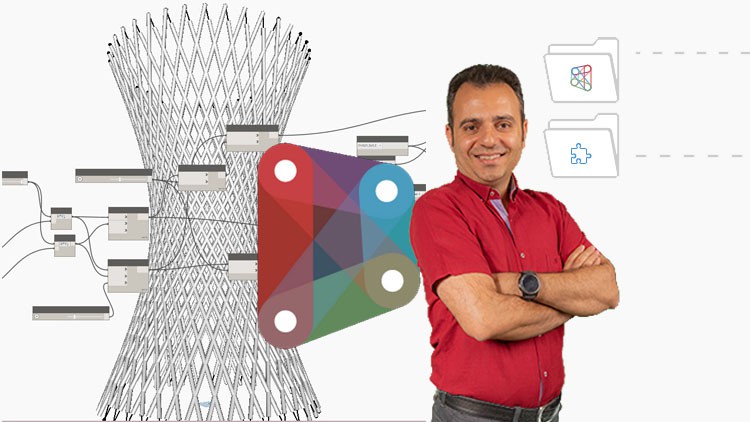
BIM- Dynamo for Revit- Master Class

- Description
- Curriculum
- FAQ
- Reviews
Do you want to know how to automate tasks in Revit using Dynamo?
Do you want to know how to optimize your complex Revit models for performance and efficiency?
Do you want to know how parametric design can help in creating complex shapes and designs in architecture and engineering?
The Dynamo course covers the fundamentals of using Dynamo in building information modeling. The course starts with an introduction to Dynamo’s environment, node types, and integer and number values. It then moves on to more advanced topics such as creating forms parametrically, creating circles, polygons, and ellipses using nodes, and extruding shapes. You will also learn to manipulate geometry using translation and mirroring. The course includes several exercises to reinforce learning, including creating a multi-story parking garage, a forest tower, and Athens Olympic Sports Complex by Calatrava.
Headlines:
-
Dynamo Fundamentals: Getting Started with Node-Based Design
-
Building Custom Shapes: Exploring Integer and Number Values in Dynamo
-
Creating Parametric Forms: Using Line and Circle Nodes in Dynamo
-
Advanced Geometry: From Regular Polygons to Lofted Solids in Dynamo
-
Practical Applications: Extruding Shapes and Creating Curved Surfaces in Dynamo
-
Parametric Modeling: Using Transpose, Offset, and Sweep Nodes in Dynamo
-
Mastering Curves: Using Polycurves and Fillet Nodes in Dynamo
-
Dynamic Design: Creating Custom Forms with NURBS and Control Points in Dynamo
-
Advanced Techniques: Using List Manipulation and Lacing in Dynamo
-
From Sketch to Structure: Building Complex Forms with Dynamo’s Node-Based Workflow
This course is packed with real-life examples that immerse you in project situations and facilitate effective learning. Additionally, you’re encouraged to ask any questions you may have while watching the course, ensuring a comprehensive understanding of the subject matter.

-
12
 Circle by Center Point, List Shuffle, List Create, Circle Through Points Nodes
 -
13
Practice: Creating Circles as a Peak
-
14
Practice: List of Rest Items Node
-
15
Regular Polygon, Polygon by Points, Ellipse, Geometry Rotate Nodes
-
16
Example Helix (Part 1)
-
17
Example Helix (Part 2)
-
18
Definition of Vector & Plane
-
19
Practice Creating Table Shape (Part 1)
-
20
Practice Creating Table Shape (Part 2)
-
21
Adding Volume to Shapes
-
22
Practice Bar Shapes
-
23
Solid by Loft, Surface by Loft Nodes
-
24
Practice : Spiral Form with Rectangular Sections
-
25
Geometry Mirror & Translate Nodes
-
26
Practice : Drawing the Volume of a Table
-
27
Practice : Creating Groups
-
28
Nurb by Points, Polycurve by Points, Nurb by Control Points Nodes
-
29
Practice : Wavy Shell (Part 1)
-
30
Practice : Wavy Shell (Part 2)
-
31
Practice : Vertical Parking (Part 1)
-
32
Practice : Vertical Parking (Part 2)
-
33
 Quiz
Quiz
-
34
Explanation of Lacing
-
35
Practice : Drawing Line by Lacing
-
36
Count and List Flatten Nodes
-
37
Practice : Creating Circles with Increasing Radii (Part 1)
-
38
Practice : Creating Circles with Increasing Radii (Part 2)
-
39
List Transpose Node
-
40
Practice : Conical Shapes on a Grid of Lines (Part 1)
-
41
Practice : Conical Shapes on a Grid of Lines (Part 2)
-
42
Practice : Corridor (Part 1)
-
43
Practice : Corridor (Part 2)
-
44
Point at Parameter Node
-
45
Example
-
46
Practicing Nodes
-
47
Practice : Creating the Form of a Cable Bridge (Part 1)
-
48
Practice : Creating the Form of a Cable Bridge (Part 2)
-
49
Using Offset for Curve and Polycurve Lines
-
50
Practice : Creating the Form of a Arc Bridge (Part 1)
-
51
Practice : Creating the Form of a Arc Bridge (Part 2)
-
52
Shift Indicies, Sweep, Plane at Parameter, Circle by Plane Radius, by Patch Node
-
53
Practice : Forest Tower (Part 1)
-
54
Practice : Forest Tower (Part 2)
-
55
Practice : Athens Olympic Sports Complex by Calatrava (Part 1)
-
56
Practice : Athens Olympic Sports Complex by Calatrava (Part 2)
-
57
Quiz
-
58
Using Math Nodes
-
59
Curve Start & End point, Fillet Nodes
-
60
Practice : Using Previous Nodes
-
61
Practice : Tower (Part 1)
-
62
Practice : Tower (Part 2)
-
63
List Chop, Surface Thicken Nodes
-
64
Practice : Straw Bowl
-
65
Practice : Mesh Wall (Part 1)
-
66
Practice : Mesh Wall (Part 2)
-
67
Related List Nodes
-
68
Example : Using Related List Nodes (Part 1)
-
69
Example : Using Related List Nodes (Part 2)
-
70
Practice : Drawing Shapes with the Same Rhythm (Part 1)
-
71
Practice : Drawing Shapes with the Same Rhythm (Part 2)
-
72
Practice : Lines Diagram (Part 1)
-
73
Practice : Lines Diagram (Part 2)
-
74
Practice : Shader (Part 1)
-
75
Practice : Shader (Part 2)
-
76
Scale & Intersect Nodes
-
77
Practice : Facade
-
78
Practice : Stadium Shell (Part 1)
-
79
Practice : Stadium Shell (Part 2)
-
80
Practice : Stadium Shell (Part 3)
-
81
Practice : Forest Tower + Ramp (Part 1)
-
82
Practice : Forest Tower + Ramp (Part 2)
-
83
Quiz