
New
Become a Graphic Designer by Learning Adobe Photoshop
Learn Graphic Designing, Adobe Photoshop and Retouching Skill from Zero to Hero

- Description
- Curriculum
- FAQ
- Reviews
Hello everyone!
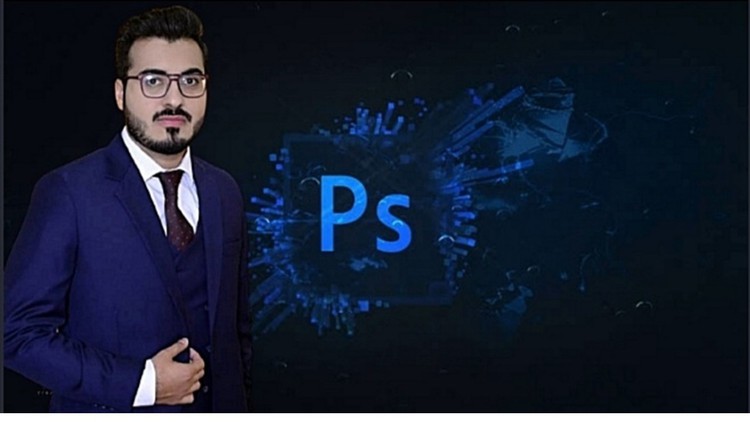
My name is Ammad and I am a graphic designer. I am an expert in this field. I am an expert in adobe photoshop, Corel draw, PowerPoint, Microsoft Word, and Microsoft excel.
In this course, you will learn all basics of adobe photoshop and all tools of adobe photoshop. I covered all tools and topics related to adobe photoshop in this course. Whenever you practicing adobe photoshop play my course videos side by side. You learn professional photoshop from my course. You will do all the below tasks and many other tasks from my course:
- Edit your photos.
- Create actions.
- Create images for your blog or social media.
- Create image templates.
- Make mood boards or photo collages.
- Make website mockups.
- Create worksheets and printables.
- Change the background of photos.
- Remove all spots from your picture like pimples.
- Make different designs like a book cover, business cards, wedding cards, invitation cards, etc.
- Make different borders.
- Make innovative slideshows.
- Make after effets vidoes.
- My course enables you to create website layouts and attractive graphic designs. What’s more, using the same skills, you can create posters, business cards, greeting cards, and many others. My course is essential in both image editing and graphic design and hence the reason you need to learn it.In my courses, I will teach you all basic and master-level knowledge. If you will learn from my course then you will be able to make money from this software. I prefer to say that play my course video while practicing on adobe photoshop.
Thank you.
First Time in Adobe Photoshop
Adobe Photoshop Basic Part - Introduction
Quick Introduction of Tools
-
11
 Photoshop Import
 -
12
Interface and workflow
-
13
New document creation
-
14
Reset the tools Why and How
-
15
Tool organaize in tool bar
-
16
Layer explanation
-
17
How to make Selection and layer
-
18
Crop tool and resize
-
19
Change any colour to other
-
20
Level and curves
-
21
Maintaining the white balance
-
22
Healing brush and sopt healing
-
23
Patch tools
-
24
Clone stemp tools
-
25
Dodge and burn
-
26
Brush tools
-
27
Create custom brush
-
28
Create custum pattern
Adobe Photoshop Layers
Photoshop Layer Adjustment
Photoshop Filters Science
Photoshop Project Examples
Assignment & Exercises
Ending Speech

How long do I have access to the course materials?
You can view and review the lecture materials indefinitely, like an on-demand channel.
Can I take my courses with me wherever I go?
Definitely! If you have an internet connection, courses on Udemy are available on any device at any time. If you don't have an internet connection, some instructors also let their students download course lectures. That's up to the instructor though, so make sure you get on their good side!
Please, login to leave a review
Course available for 4 days
Course details
Video
4 hours
Lectures
1
Certificate of Completion
Full lifetime access
Access on mobile and TV
Popular courses



