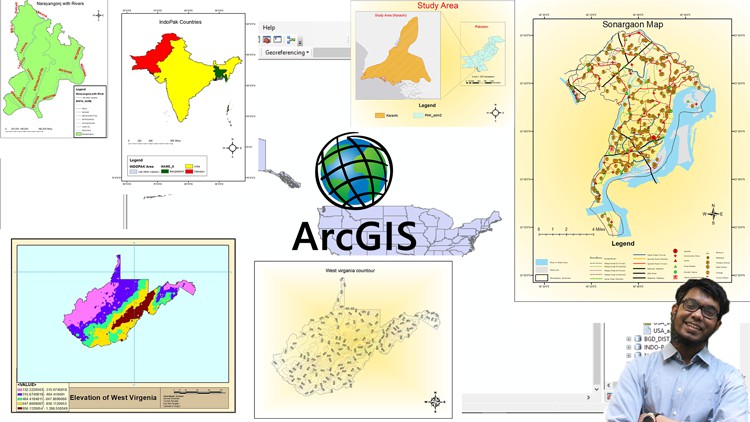
ArcGIS: From Beginner To Pro

- Description
- Curriculum
- FAQ
- Reviews
Welcome to the ArcGIS Course.
In 6 Hours you will Learn the Basics of ArcGIS and will be able to carry out different types of jobs based on ArcGIS.
In this course, I have shared Resources and also have shown how you can download free resources and even make your own resources if required!
This course is divided into 10 sections. In these 10 Different sections which are related, you will learn to carry out different tasks using ArcGIS.
You will learn to do analysis for businesses, You will Learn to make Maps, You will Learn to do spatial analysis.
The ten sections and the contents of the sections are as follows:
•Introduction (3 Videos)
•ArcMap Basics (12 Videos)
•Geoprocessing (6 Videos)
•ArcCatalog (4 Videos)
•Working with shapefiles (9 Videos)
•ArcMap save as and Export (1 Video)
•Map Making (6 Videos)
•Map Tracing (3 Videos)
•Google Earth & ArcGIS (3 Videos)
•Working with Raster Files (12 Videos)
And the Contents of each Individual Section is as follows:
Introduction
1.Concepts related to spatial data analysis.
2.The software which will be used.
3.Introduction to ArcGIS.
ArcMap Basics
1.ArcGIS Interface.
2.Geodatabase.
3.Attribute Table.
4.Making Selections.
5.Zooming.
6.Magnify.
7.Coordinate systems and measures.
8.Changing color of shapefile.
9.Adding fields and calculating geometry.
10.How to add population or any other data.
11.How to save or export a new shapefile.
12.How to add labels.
Geoprocessing
1.How to merge shapefiles.
2.How to dissolve shapefiles.
3.How to use split.
4.How to clip shapefiles.
5.Buffer.
6.Intersect.
ArcCatalog
1.Introduction to ArcCatalog
2.Folder display in ArcCatalog.
3.Catalog Tree in ArcCatalog.
4.Observing shapefiles in ArcCatalog.
Working with shapefiles
1.Statistics.
2.Field Calculator.
3.Creating Graphs part-1.
4.Creating Graphs part-2.
5.Datatypes.
6.How to change the color of polygon selection.
7.Shapefile transparency.
8.How to do choropleth mapping.
9.Choropleth mapping part-2.
Mapmaking
1.Making a simple Map.
2.Legend editing.
3.How to add population or other data in Legend.
4.Adding base map for a better appeal.
5.Changing layout size and Print Map.
6.Study area mapping.
Map Tracing
1.Georeferencing.
2.Making shapefiles.
3.Map tracing.
Google Earth & ArcGIS
1.How to project shapefile on Google Earth Pro.
2.How to make shapefiles using Google Earth Pro.
3.How to make polyline features using Google Earth Pro.
Working with Raster files
1.How to classify Elevation.
2.How to reclassify raster cell size.
3.Euclidian distance raster.
4.Euclidian direction raster.
5.DEM part-1.
6.DEM part-2.
7.DEM part-3.
8.DEM part-4.
9.DEM part-5.
10.Contour mapping.
11.Slope.
12.Hill shade.
Additional content!
Not public. Only for those who enroll.
-
7
 Resources
 -
8
 ArcGIS Interface
 -
9
Geodatabase
-
10
Attribute Table
-
11
Making Selections
-
12
Zooming
-
13
Magnify
-
14
Coordinate systems and measure
-
15
Changing color of shapefile
-
16
Adding fields and calculating geometry
-
17
How to add Population or any other data
-
18
How to export new shape file
-
19
How to add Labels
-
20
 Quiz on Section-2